00:00
159
More
See all Show me
FaceOSC is a tool for prototyping face-based interaction. It's built on non-commercial open source FaceTracker code from Jason Saragih.

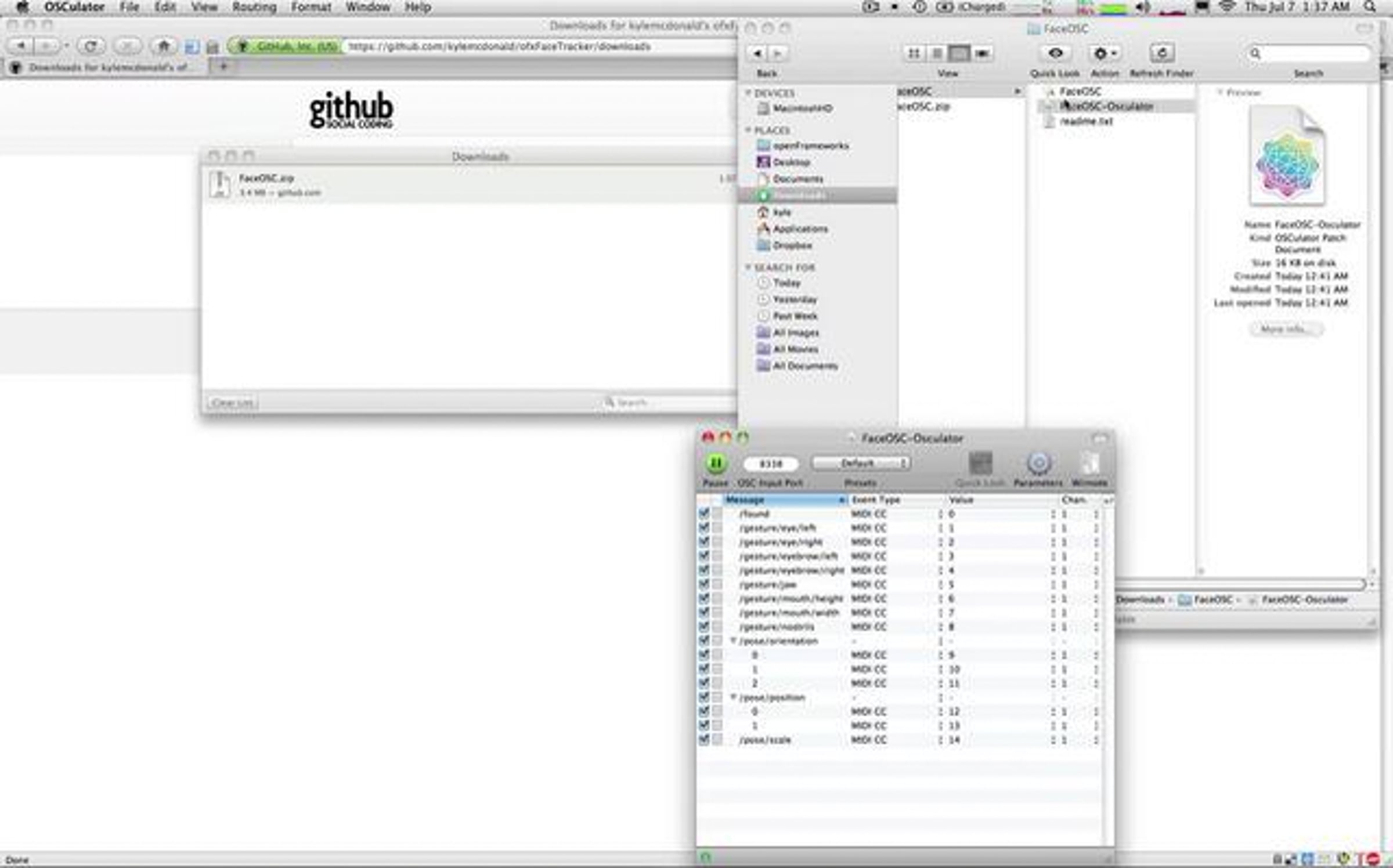
FaceOSC comes as an example app with the ofxFaceTracker addon for openFrameworks. You can download an OSX 10.5+ binary at github.com/downloads/kylemcdonald/ofxFaceTracker/FaceOSC.zip

OSCulator is an excellent program for routing OSC and MIDI. Download it at osculator.net/

Some of the "face gestures" (or metrics) are more stable than others. Lighting can also have a huge influence on the stability of your values: even lighting from the front coupled with a dark background can give the best results.

Some of the first demos from others:
vimeo.com/26188365
vimeo.com/26161519
vimeo.com/26301657
vimeo.com/26475997
youtube.com/watch?v=ArG3t_OOYis

Credits

Likes

See all likes
  • Andreas Müller plus 7 months ago
    haha, awesome!!
  •  
  • Parag K Mital 7 months ago
    great work! trying it out now
  • Kyle McDonald plus 7 months ago
    thanks parag :) i wouldn't have known about jason's research if it wasn't for you.
  • Parag K Mital 7 months ago
    kyle- man you are alive! i'm really sorry to hear about the news... but it's good you are in touch with the eff. keep us up to date when you are free to talk about it. and when you have some time, we should definitely link up on some project ideas such as the bundler stuff - parag@pkmital.com
  •  
  • NOTA BENE Visual plus 7 months ago
    lovely!!
  •  
  • Kris Meeusen plus 7 months ago
    wow so cool double like!
  •  
  • SuperTouch Group plus 7 months ago
    Well done sir, well done.
  •  
  • James Alliban plus 7 months ago
    Excellent. Your ventriloquism is equally impressive ;)
  •  
  • Thomas Nicodeme 7 months ago
    is there any windows build, it looks amazing especially for 3D stuff
  • Kyle McDonald plus 7 months ago
    windows is stabilizing for the next openFrameworks release right now -- and none of the codebase is precompiled. so there could theoretically be a windows version soon.
  • Thomas Nicodeme 7 months ago
    cool. I waiting for it
  • Thomas Nicodeme 1 month ago
    Nice work but how can I use the data ( like left/rigt head rotation, open/close mouth ) with this build. It would be interreting to use this data for 3D stuff like, for example, a face animation of 3D character. a kind of cheap face tracking solution.
  •  
  • Radames Ajna 7 months ago
    great!! what about simple eyes movement? can you track this?
  • Kyle McDonald plus 7 months ago
    i know an amazing japanese researcher/artist who is working on this right now (using AAM + eye tracking) but no -- it's not included in this app.
  • Radames Ajna 7 months ago
    hey! thanks for this workaround!
  •  
  • James George plus 7 months ago
    this is some next level stuff man. nice!
  •  
  • Abraham Esparza 7 months ago
    ooh this is so good!! I am going yo try it with modul8 looks like lots of fun, and interesting, how close do you ave to be from the web cam for it to still be able to track you?
  • Kyle McDonald plus 7 months ago
    if the lighting is good, you can be anywhere from maybe 400 to 100 pixels tall. it's quite a good range. if you check the readme, you'll find there are is a settings.xml in the package contents.
  •  
  • vade plus 7 months ago
    You kill me.
  •  
  • André Mattos 7 months ago
    awsome!
  •  
  • joshua batty 7 months ago
    awesome stuff man.
  •  
  • Jeremy Cohen 7 months ago
    what an amazing idea. this is great
  •  
  • drumcell 7 months ago
    NEXT an ipad app version ;)
  • vargasz abolcs 7 months ago
    yea! so you don't even have to move your fingers! :D
  •  
  • Lawrie Cape 7 months ago
    Wow, this is phenomenal - can't wait for the windows build.
  •  
  • Paul Stevens 7 months ago
    Very clever.
  •  
  • inskt 7 months ago
    Excellent for sound design and foley!!
  •  
  • Leeroy Vonnegut 7 months ago
    great stuff ^^ cheers!
  •  
  • Paul Ferragut 7 months ago
    amazing!! thanks for sharing
  •  
  • Alpay Kasal plus 7 months ago
    Kyle, i think the times that you lost a healthy track was just because of your camera's auto settings. turn off auto and the tracking will be more solid. great work m'man.
  • Kyle McDonald plus 7 months ago
    this is definitely a possibility. i know when there isn't much color information in a scene, the isight will go a little crazy.

    but in general if you have an extreme pose (facing up) and you're changing scale very fast (moving forward and backward) that's not the best combination for the tracker. it assumes scale is fairly constant over time.
  • Alpay Kasal plus 7 months ago
    the iSight prob has a better time of it inside Apple Stores though ;)
  •  
  • Blake Ferm 7 months ago
    aliens will be contacting you shortly.
  •  
  • Lizzie Malcolm 7 months ago
    nice - already had a play - vimeo.com/26161519
  •  
  • visiophone 7 months ago
    you made my day !!!!

    it would be amazing to create some performance with beatboxe wizard
  • Kyle McDonald plus 7 months ago
    definitely -- i think a really nice mapping from face->sound would be using the mouth to control the pitch and lfo rate of some dubstep style bass. open mouth = higher pitch, faster lfo rate. closed mouth = lower pitch, slower lfo rate. so many songs are based only on this kind of variation.
  • Gabriel Shalom plus 7 months ago
    beatbox wizard at your service gentlemen ;)
    vimeo.com/2790928
  •  
  • Andy Clymer 7 months ago
    This is so cool, thank you for this! Here's what I did with it: vimeo.com/26188365
  •  
  • Felipe Gallego 7 months ago
    this is awesome man ! so what did the SS have to say to you ? did they offer you a job at least ?
  •  
  • Jeff Winder 7 months ago
    Absolutely brilliant Kyle. I did something with it too, in Flash :)
    jeffwinder.blogspot.com/2011/07/face-gestures-faceosc-and-flash.html
  • Kyle McDonald plus 7 months ago
    the head tilt and lean forward/backward looks like a really natural interaction for that space. super smart, thanks for sharing that!
  •  
  • mindfest 7 months ago
    This... is... Future... *thumbsup*
  •  
  • Kostia Rapoport 7 months ago
    amazing! thanks...
    vimeo.com/26301657

    is there any way to adjust the tracking parameters? i'm afraid, my beard is kinda messing things up... :)
  • Kyle McDonald plus 7 months ago
    awesome!

    yes, it's possible to edit the tracking parameters. see the included readme.txt for notes on this.
  • keith plus 7 months ago
    You can shave ;)
  • Kostia Rapoport 7 months ago
    thanks, kyle! will check it out.

    @ keith: i knew somebody would write this :)
  •  
  • Kompal 7 months ago
    yes!
  •  
  • keith plus 7 months ago
    What?!!!!
  •  
  • MotionArmy.tv plus 7 months ago
    sooo coool...
  •  
  • Tiago Serra plus 7 months ago
    Nice one Kyle ;)
  •  
  • Christine S. Kim 7 months ago
    this is beyond amazing! thank youuuu
  •  
  • Bruno Soares 7 months ago
    fantastic!
  •  
  • Landon taylor 7 months ago
    Incredible work! I'll post a link once I integrate it with a Unity 3D project I just started piecing together.
    Cheers!
  •  
  • Jeff Winder 7 months ago
    Another something I did with FaceOSC & Flash, typing with your face :) tinyurl.com/3z88jbm
  •  
  • guillermo castellanos 6 months ago
    greeeat job
  •  
  • Jeremy Abbett 6 months ago
    We've hacked together an eyebrow controlled servo (vimeo.com/27071189) with faceOSC. More to come....

    Jeremy and Franziska
    truthdaredoubledare.com
  •  
  • Benjamin Santiago plus 6 months ago
    ha! There are so many hypothetical and amazing Kraftwerk cover bands that are performing using this program in my head right now. Tour de France Tour de France!
  •  
  • David OBrien 6 months ago
    Great software and I'm desperate to get this going but it crashes when I run the FaceOSC program. I promise to post some uber-freaky sounds if anyone can help! Running 10.5.8 on a macbook pro.

    Dave
  • Kyle McDonald plus 5 months ago
    it should now be 10.5 compatible, please re-download.
  •  
  • Khainz 6 months ago
    Awesomeeeee !!! thats the future !!!... can we expect a fullbody one sometime ?
  • Kyle McDonald plus 6 months ago
    full body tracking with a 2d camera is hard because of appearance variation (everyone looks different, wears different clothes).

    but you can do it with a 3d camera like kinect. see osceleton vimeo.com/17966780
  •  
  • Frix 6 months ago
    Man! Look what you've done! youtube.com/watch?v=_T6oZt4RuvY&NR=1
  •  
  • Audion Studios 5 months ago
    Does this not work with Lion? I can not open the .oscd file with osculator.
  • Kyle McDonald plus 5 months ago
    FaceOSC should work on lion.

    if osculator is giving you an error, i recommend posting to the osculator forum osculator.net/forum/
  • Audion Studios 5 months ago
    OK I'll try that. Osculator works for me fine but it just says it wont open that filetype. says it is the wrong file format..oh well.
  •  
  • Jamie Ricaro 5 months ago
    Hi Kyle!

    First of all, I'd like to say I love your idea and am very eager to try out FaceOSC. I run into a little problem though - when I try to run it, it crashes and reports an unknown error.

    OSCulator is working flawlesly and I've figured out, that if I start any program that uses the iSight camera, FaceOSC actually opens up, but then I'm stuck with a grey screen which says "searching for face" indefinetely. Any idea what to do?

    I'm running a MacBook Pro 2.4 GHz Core Duo on 10.6.8 OSX
  • Kyle McDonald plus 5 months ago
    hi jamie. if the screen is gray that sounds like it's trying to connect to the wrong camera. maybe if you have another camera plugged in, or a virtual camera for video routing, it's trying to use that. check the readme.txt for more info, there are some instructions on how to modify the settings.xml to use a different camera id.
  •  
  • Jamie Ricaro 5 months ago
    I don't have anything else plugged in which would count as a video input and I've also checked for any virtual devices and uninstalled the only one, which was an audio one. Nevertheless, the same problem still persists.

    I've tried reseting my OSX permissions and about every other general thing to do, but I still can't get it to work. I did go through the settings.xml file a couple of time, but I don't know the device ID for iSight, so I get stuck there. Any suggestions?
  • Kyle McDonald plus 5 months ago
    someone emailed me with a similar problem recently, and here's what they did: restart the computer, open photo booth and check that the camera works, then open FaceOSC. then it worked for them. try that and let me know what happens.
  •  
  • Jamie Ricaro 5 months ago
    Well, that's what I do to get FaceOSC to launch properly anyway. Without PhotoBooth or any other app, that turns on the iSight, the program just crashes on loading. If I do open one of these before FaceOSC, then I get the "searching for face" indeffinetely scenario. It's really a nut breaker and I've been searching for a solution for the past week :D
  • Kyle McDonald plus 5 months ago
    please try this app and post a screenshot of the results kylemcdonald.net/forof/CameraLister.zip (2.2 MB). here's mine oi53.tinypic.com/2hxxguu.jpg also, please hit 'reply to this comment' (small text below post) rather than 'post comment'.
  • Jamie Ricaro 5 months ago
    Sorry about the reply thing. Anyway - I run into the same problem with CameraLister - it crashes unless I have Photobooth already open & running. If I have, than I get this i52.tinypic.com/rhjq75.jpg . If I close Photobooth after getting CameraLister to open up, nothing happens and the screen remains black. I can copy the crash logs, if that helps...
  • Kyle McDonald plus 5 months ago
    it looks like the app isn't seeing your camera. make sure photo booth isn't open at the same time, you can't have two apps accessing the same camera.

    besides that, i'm really not sure what to tell you. i've never seen this problem before, so i don't know how to debug it. if you want to post the crash log somewhere i can take a look.
  • Jamie Ricaro 5 months ago
    Well, thanks for your time anyway. I hope I'll somehow get it to work properly. I've copied a crash log (.zippyshare.com/v/54640609/file.html) so you can maybe get a better idea of what's going wrong. If you do, I'd be very happy to try out any new suggestions you might have.
  •  
  • Enig'matik Media. 5 months ago
    im having the same problem...really keen to try this, osculator works fine...as soon as i click on the faceosc i get "the application faceOSC quit unexpectedly" almost instantly, before it starts up....any ideas??
  •  
  • Enig'matik Media. 5 months ago
    PS. i get the same error with that camera lister app u posted...photo booth works fine by the way..

    thanks.
  • Kyle McDonald plus 5 months ago
    are you running 10.5?
  •  
  • Enig'matik Media. 5 months ago
    yeh 10.5.8, do i have to upgrade?
  • Kyle McDonald plus 5 months ago
    it should now be 10.5 compatible, please re-download.
  •  
  • Enig'matik Media. 5 months ago
    sweet, thanks man!
  •  
  • ian campbell plus 5 months ago
    This doesn;t work as well with my glasses on, but works much better with them off, but then of course I can't see my laptop... oh cruel irony...
  •  
  • David OBrien 5 months ago
    Thanks very much Kyle! It's working now :-) I'll do a video as soon as i have something suitably freaky...
  •  
  • TimeSquid plus 5 months ago
    is there anyway to choose the video input? for capture cards ect. Its quickitme
    ????
  • Kyle McDonald plus 5 months ago
    yes, please read the readme for instructions.
  •  
  • Le Fantasist 4 months ago
    Kyle, could this tool run in windows with the new release of OpenFrameworks?
  • Kyle McDonald plus 4 months ago
    it shouldn't be a problem, you just need to contact jason saragih for the face tracker code, and you'll need to set up the project yourself.
  • Le Fantasist 1 month ago
    Awesome! Really appreciate you taking the time to share.
    I'm gonna try it right now, but I'm not sure what to use instead of osculator on windows, any ideas?
  • Kyle McDonald plus 1 month ago
    it looks like a few months ago some work started on osculator for windows, but it's not done yet. i would just start hacking something in processing, personally :)
  •  
  • John VanHouten 4 months ago
    When I try to load FaceOSC-Osculator.oscd it says:


    "The document “FaceOSC-Osculator.oscd” could not be opened. The file isn’t in the correct format.

    The file might be corrupted, truncated, or in an unexpected format."

    I have OSCulator and it works for other things. What is wrong with the file?
  • Kyle McDonald plus 4 months ago
    good question, maybe ask on the osculator forum? i haven't run into that error before, the .oscd always works for me.
  •  
  • Jack Kalish 4 months ago
    Hey Kyle, thanks a lot for doing this. I have been looking for a more sophisticated open-source face-tracker for a while. I am running it now, but have a question about how the midi notes are actually being triggered. Right now I am just routing it to Garage Band, and though I can see that the volume control and panning are working, it does not seem that any audio is actually being triggered. What face parameter are you using to trigger the playing of the notes? Thanks!
  • Kyle McDonald plus 4 months ago
    in this video i have a track setup in reason that's playing the notes by itself, completely independent of FaceOSC. FaceOSC is just modifying the way those notes sound.
  • Jack Kalish 4 months ago
    Ah, that makes sense.

    So I got all the libraries set up and was able to compile your example code. But oddly, when the program runs nothing happens. My webcam light goes on and the application opens in the dock, but then it just hangs. Any idea what might be going? (BTW, I am an ITP student and would like to use this face-tracking software for a school project)
  • Kyle McDonald plus 4 months ago
    you might be forgetting to add the training data to data/model.
  • Jack Kalish 4 months ago
    Ah yes, that was it! Thanks so much :D
  •  
  • TruedeNoizer plus 4 months ago
    Supercooooool!!!
  •  
  • David Stolarsky plus 3 months ago
    Hey, you know of a FaceOSC/Tracker/ofxFaceTracker mocap workflow? .FBX files? Maya? Bones/rigging...
  •  
Showing 100 of 103 comments. Want to see the rest?
This conversation is missing your voice. Take five seconds to join Vimeo or log in.

Advertisement

Statistics

Date Plays Comments
Totals 56.3K 494 103
Feb 23rd 14 0 0
Feb 22nd 66 3 0
Feb 21st 24 1 0
Feb 20th 16 0 0
Feb 19th 16 1 0
Feb 18th 26 0 0
Feb 17th 21 0 0

Related lessons from Vimeo Video School

Check out these lessons to learn more about how you can make videos like this one!