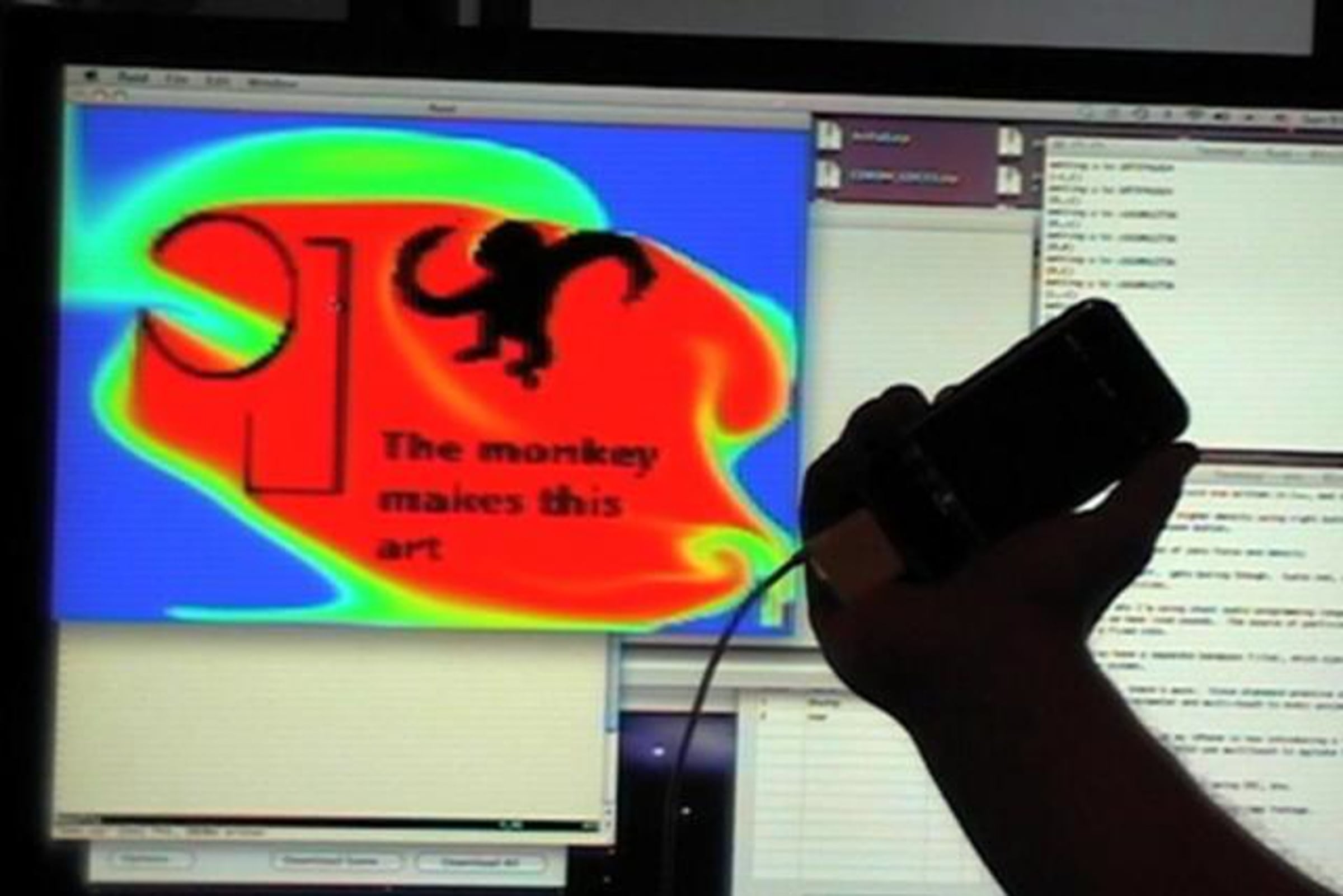
Besmoke - Interactive Fluid Simulation with iPhone and Sound Reactivity

[ See this video in proper context at exothermia.net/monkeys_and_robots/2009/01/26/besmoke-fluid-simulation/ ]
Saturday morning at 6am I boarded a passenger van in Los Angeles carrying all of Cirque Berzerk to San Francisco to perform at the Edwardian Ball. I was not driving in either direction, so I decided to maybe get a little work done with those 12 hours. This is the unexpected result...
Besmoke is a grid-based Navier-Stokes fluid simulation that approximates the fluid dynamics in a stable and computationally inexpensive way. Its based on Jos Stam's "Real-Time Fluid Dynamics For Games" paper. Each grid cell has a density magnitude and a velocity vector. The algorithm evolves those parameters for each time step. The color blue represents areas of higher density and the color red represents areas of lower density. Black regions represent "obstacles" that refuse to permit a density or velocity. The obstacle map is loaded from a png file.
You can interact with the simulation in the most basic way by using the mouse. Using the left and right mouse buttons, you can set regions of high density and modify the velocity vector field.
Besmoke also listens for sound input to introduce new sources of dense fluid. "Thumps" (or low-passed sounds) like you might associate with music's thumping bass causes dense fluid to be injected into the very middle of the screen. Loud sounds in any frequency band causes the emitter to insert dense fluid. The emitter is a point that moves clockwise around the perimeter of the screen at a fixed speed. As you can see from the video, loud low sounds trigger both behaviours.
Besmoke is also accelerometer-aware. In the video, you can see I'm using my iPhone to "change the gravity" in the simulation. I can hook any accelerometer up to this system, of course. The iPhone was a convenient source of data.
And finally, I'm using multitouch input as a substitute for the mouse. I can use multiple fingers to "agitate" the fluid simulation by altering the velocity vector field.
Here are some technical details:
* The simulation is based on the work of Jos Stam. This paper is a great read. I'm simulating a 128^2 cell grid.
* The graphics are rendered using OpenGL.
* I'm using OpenCV internally for representing the density and velocity vector fields. Though I'm not actually doing any computer vision, OpenCV is good at manipulating large matrices.
* I'm using ChucK audio programming language for sound analysis. There are two shreds running; one for each of the sound behaviors described above.
* I'm running OSCemote on the iPhone to capture accelerometer and multitouch input. OSCemote is awesome, and I use it to configure and control most of my new projects.
* The components communicate using Open Sound Control. The multitouch events are represented using TUIO, so you should be able to run this on any touchlib/reactable device.
* I'm using liblo in C++ to receive OSC events.
[authors note:]
This project was conceived and written in its entirety while driving from Los Angeles to San Francisco and back over a span of 48 hours. I was in a vehicle full of clowns. No, really.
I had spotty internet access: I was using PDAnet on my iPhone to bridge my wireless. While in San Francisco, I also performed with Cirque Berzerk at San Francisco's Edwardian Ball. Consequently, the return trip featured a slight hangover.
Its been a long weekend, and I'm strongly considering going to bed.
Get started for free
24/7 customer support
Our customer support team is available to help 24/7. Enterprise members also receive dedicated account managers and a guaranteed uptime SLA.
© 2026 Vimeo.com, Inc. All rights reserved.
TermsPrivacyYour Privacy ChoicesU.S State PrivacyCopyrightCookies