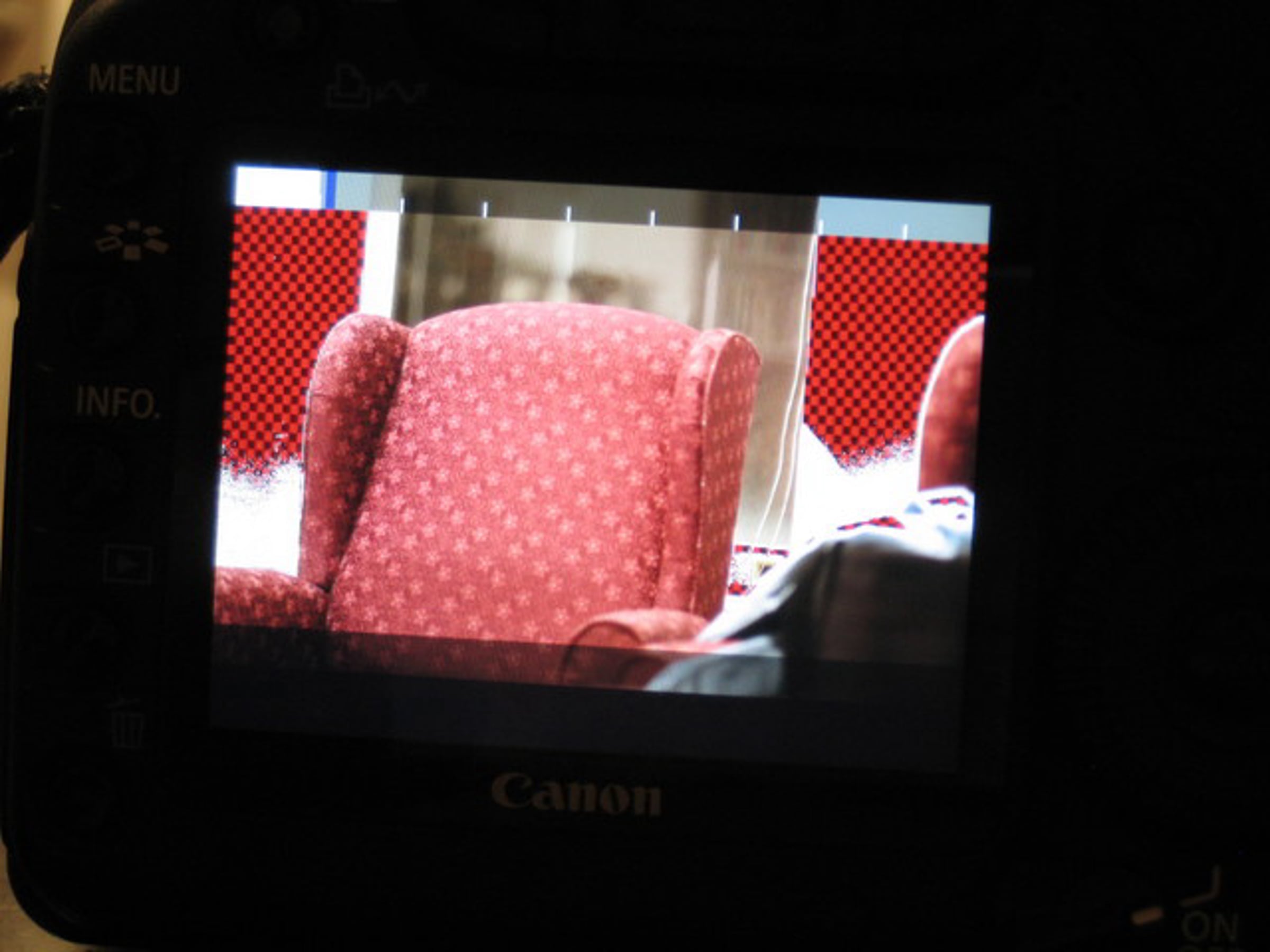
Zebra stripes in Magic Lantern
6 months ago
The Magic Lantern (formerly 5D Mark Free) software gets zebra stripes to show overexposed portions of the video. They are not recorded to the quicktime file.
With the announcement from Canon that full manual control is coming, the Magic Lantern project can start focusing on these sort of enhancements, rather than just manual exposure control.
FAQ on the Magic Lantern project: cinema5d.com/viewtopic.php?f=14&t=2494
With the announcement from Canon that full manual control is coming, the Magic Lantern project can start focusing on these sort of enhancements, rather than just manual exposure control.
FAQ on the Magic Lantern project: cinema5d.com/viewtopic.php?f=14&t=2494
-
Vimeo: About / Blog / Developers / Jobs / Community Guidelines / Community Forums / Help Center / Site Map / Merchandise
/ Get Vimeo

Previous Week
The current HDMI output is scaled down (decimated, actually - they throw away pixels.) It's useless for recording, with or without the overlay. When you hit the record button, it's even worse. It drops from HD to SD. So, making a useful HDMI output is more than just removing the overlay.
Anyway, zebras will be awesome! I'm looking forward to both releases - the manual controls, and the manual audio with meters and zebras!
Not sure if you already said you were implementing it, but full "hard" crop (black borders, i.e.) of the image to 16:9 or even 1.85:1 could help some people with either the attainable compression Q(uality) or, at least, hopefully, with the file size (black bars compress really good ;)
Cheers,
Denver Riddle
Avey
let say: that is a little step for the technology, but gigant step for Cinema
BTW is the is also possibile to make in focus overlay (for ex.: green like in JVC cam).