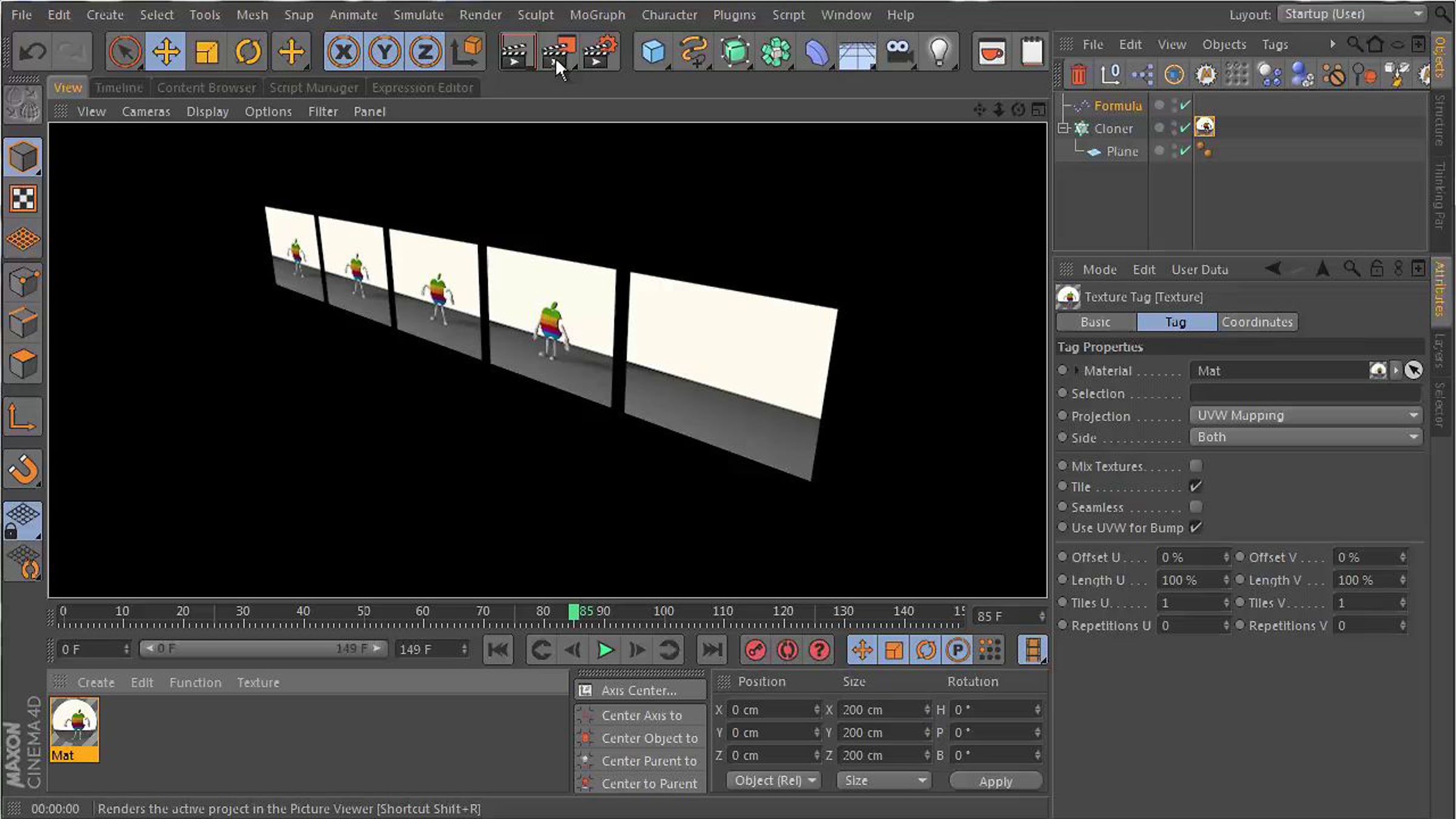
Walkthrough : Sequential Time Offset animated textures with the Mograph Multishader

Second video about using MoGraph's internal Color system for Time Offsetting animated Textures in a MultiShader.
This time I use a Formula Effector.
A few bits of info :
As soon as you introduce t to a formula you introduce time. It has a default Value of 1 (a second), but you can play with the "t-Project Time Slider" to speed up or slow down the motion.
The id stands for a clone's index number. Black has a value of 0 and White has a value of 1 . 0 and 1 also stand for 0% and 100%.
You can use the rest of the MoGraph system to manipulate these values.
The Formula Effector allows for some very precise control if you're familiar with the Mathematical Operators.
There's probably a lot more ways to set up this functionality. Wanna have a go ?
You can find all available Operators in the Appendix Section of C4D's Help.
This video is a reply to a question by mmalone on forums.cgsociety.org/showthread.php?f=47&t=1084532
Vimeo doesn't allow me to post formulas here, but the video quality should be clear enough for you to read along as I type.
Hope somebody else finds this useful.
cheers,
d
Get started for free
24/7 customer support
Our customer support team is available to help 24/7. Enterprise members also receive dedicated account managers and a guaranteed uptime SLA.
© 2026 Vimeo.com, Inc. All rights reserved.
TermsPrivacyYour Privacy ChoicesU.S State PrivacyCopyrightCookies