More
See all Show me
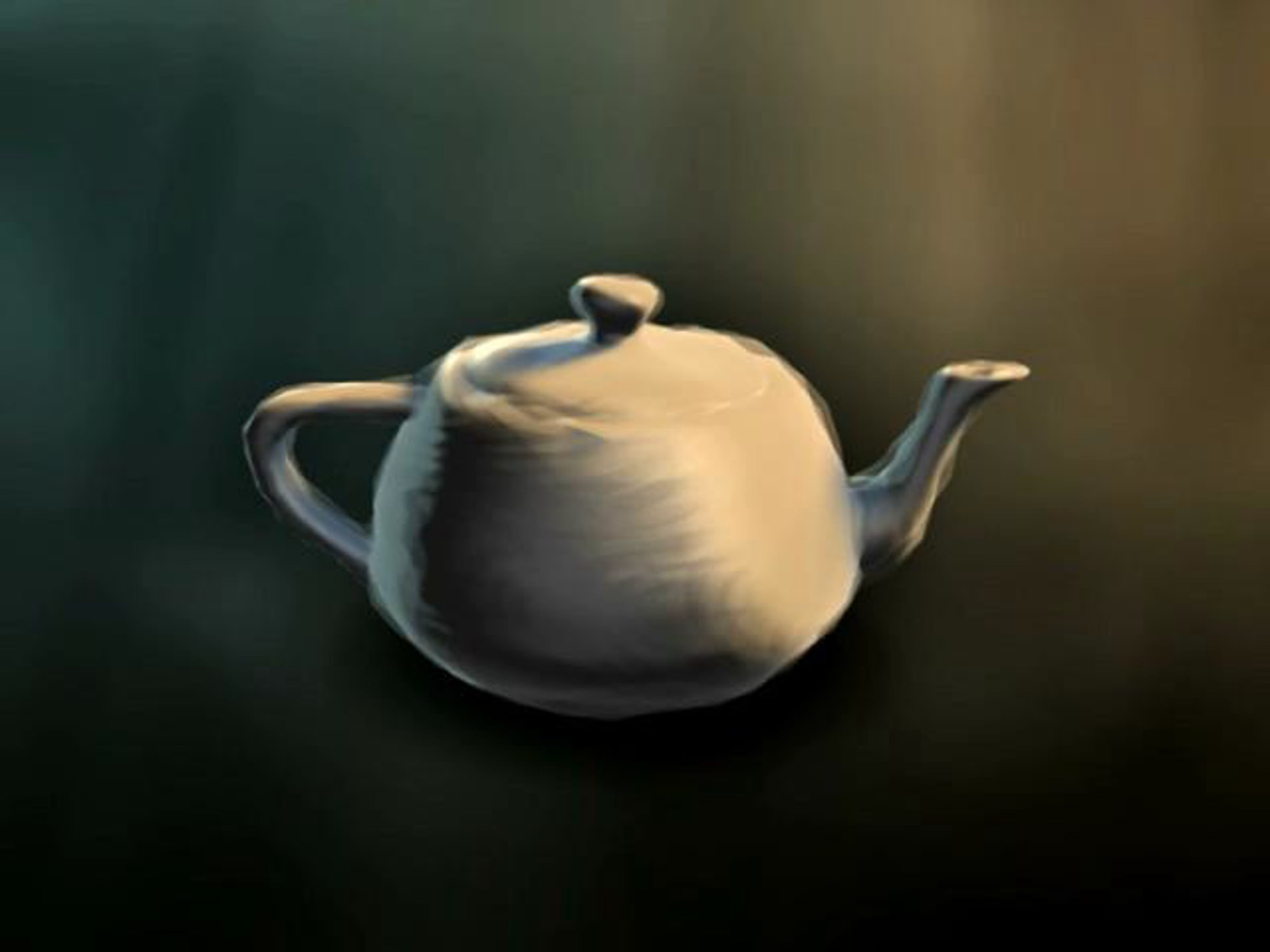
2. Painting with Polygons
7 months ago
Most non-photorealistic rendering solutions tend to involve brilliant but unwieldy new technologies,
such as volume-based rendering engines or complex image analysis. Similar results can often be achieved
using simpler methods and non-proprietary toolsets, even toolsets designed with other effects in mind.
Our studio has been experimenting with ways to achieve a hand-painted look with basic tools that are
common to most 3D applications, in this case Lightwave.
  • Josiah Einwechter 7 months ago
    Very interesting technique! I can't say that I am too crazy about the painted look but the effect you achieved of paintings of wood carvings was very interesting.
  •  
  • Jeremiah Warren 7 months ago
    I like that look! That is really fascinating how you came up with this.
  •  
  • Stephen Fitzgerald 6 months ago
    thanks for sharing this technique. I've seen it explained in words, but never totally understood it until now.
  •  
  • Ivan 3Digital Studio 6 months ago
    woooow, realy nice and cool technique
  •  
  • Trevor Lee 6 months ago
    Great work! How are you achieving the displacement? It looks as if you have several versions of the teapot, of varying opacities layered on top of one another, is that accurate?
  • Pawel Swierczynski 5 months ago
    In Displacement channel place Noise map with animated rotation:) Depending on software you use it might be different, but generally that`s it.
  •  
  • Petter Sundnes plus 6 months ago
    Brilliant! Any chance of the LightWave file being shared? Would love to dissect it.
  •  
  • Pawel Swierczynski 5 months ago
    It`s unbelievably AMAZING! I love it!!!
    I`ve tried to achive such an effect, but I have a big problem with motionbluring this. In 3ds Max.
  •  
  • Yeah..the fisrt time I noticed this was on BoltĀ“s movie, look at the trees in overall movie. Really good!
  •  
  • Gaschka 5 months ago
    very intersting attempt! nice look. gonna give it a try
  •  
  • David Krupicz 5 months ago
    Interesting technique, and finally a way to 'blend' edges of surfaces, for example when a pile of dirt meets a brick wall, or grass along a sidewalk.
  •  
  • Alejandro Landero 5 months ago
    Really interesting ... it me will be of great usefulness. Thank you very much.
  •  
  • Ola Haldor Voll plus 4 months ago
    WOW! I can't wait to test this thing. Hopefully this will render pretty quick with FPrime! :D
  •  
  • Amal FM 3 months ago
    thank u very mush for this great tip ..
  •  
  • Viren Shah 1 month ago
    awsome ...puly awsome......can we get something like how to use this technique ....like a tutorial.....it wuld b gr8......
  •  
  • Christopher Tini 22 days ago
    I am currently working on my thesis film and was planning on using this style. The problem is I can't figure out how to implement it with Maya. Any suggestions? Thanks.
  •  
This conversation is missing your voice. Take five seconds to join Vimeo or log in.

Advertisement

About this video

MP4
00:02:28
  • 640x480, 12.42MB
  • Uploaded Sat July 18, 2009
  • Please join or log in to download
3 Related collections

Statistics

  •  
    plays
    likes
    comments
  • Total
    plays 22.3K
    likes 169
    comments 16
  • Feb 10th
    plays 1
    likes 0
    comments 0
  • Feb 9th
    plays 25
    likes 0
    comments 0
  • Feb 8th
    plays 27
    likes 0
    comments 0
  • Feb 7th
    plays 12
    likes 0
    comments 0
  • Feb 6th
    plays 15
    likes 0
    comments 0
  • Feb 5th
    plays 21
    likes 1
    comments 0
  • Feb 4th
    plays 12
    likes 0
    comments 0
Previous Week