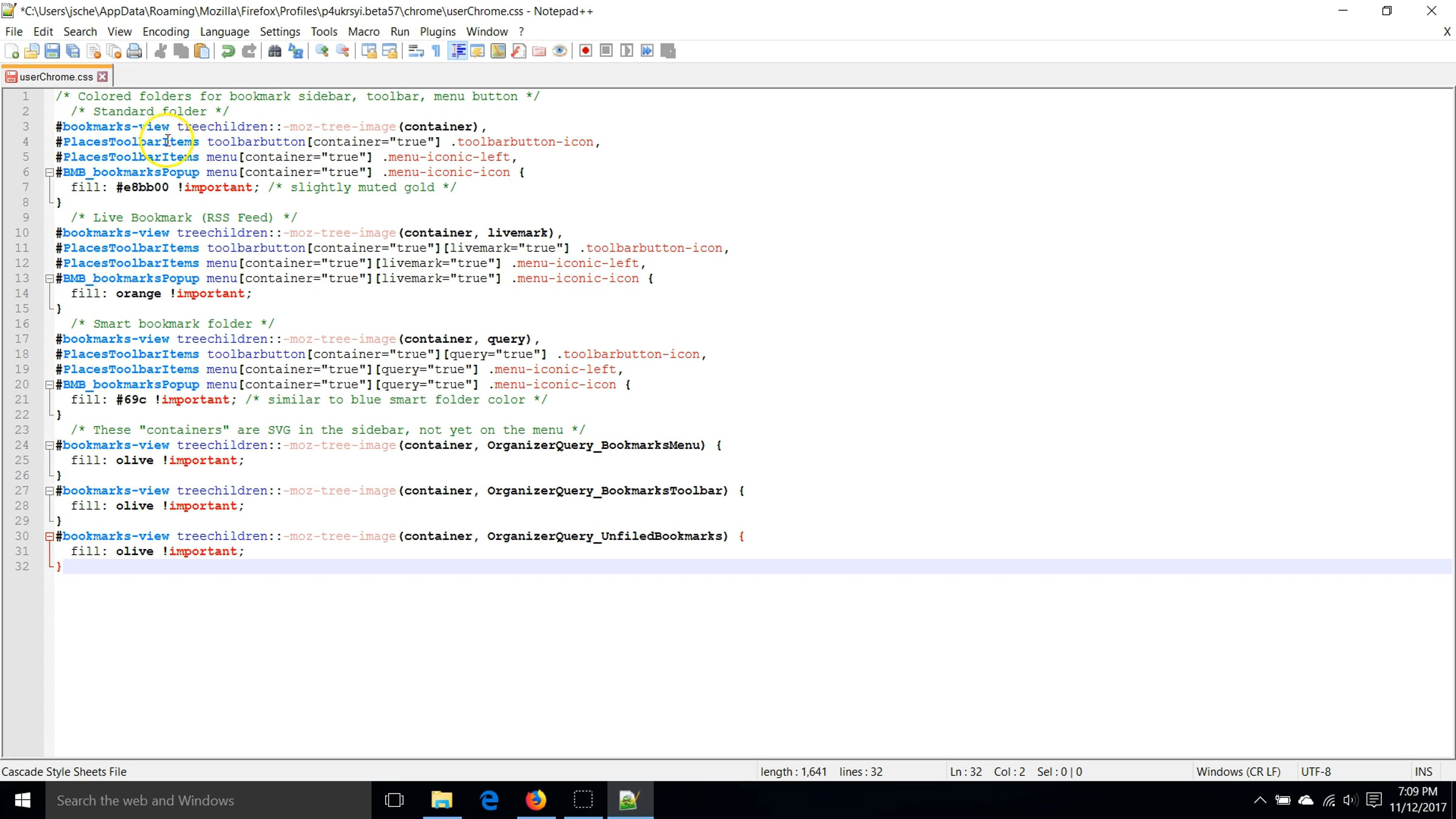
Demo - Step #2: Editing userChrome.css

Open userChrome.css in Notepad++ or Atom, and tweak your style rules using the Browser Toolbox. Color the icons in the Bookmarks Sidebar, restructure the address bar drop-down, and move the tabs below the main toolbar. Companion article: https://www.userchrome.org/adding-style-recipes-userchrome-css.html
Get started for free
24/7 customer support
Our customer support team is available to help 24/7. Enterprise members also receive dedicated account managers and a guaranteed uptime SLA.
© 2026 Vimeo.com, Inc. All rights reserved.
TermsPrivacyYour Privacy ChoicesU.S State PrivacyCopyrightCookies