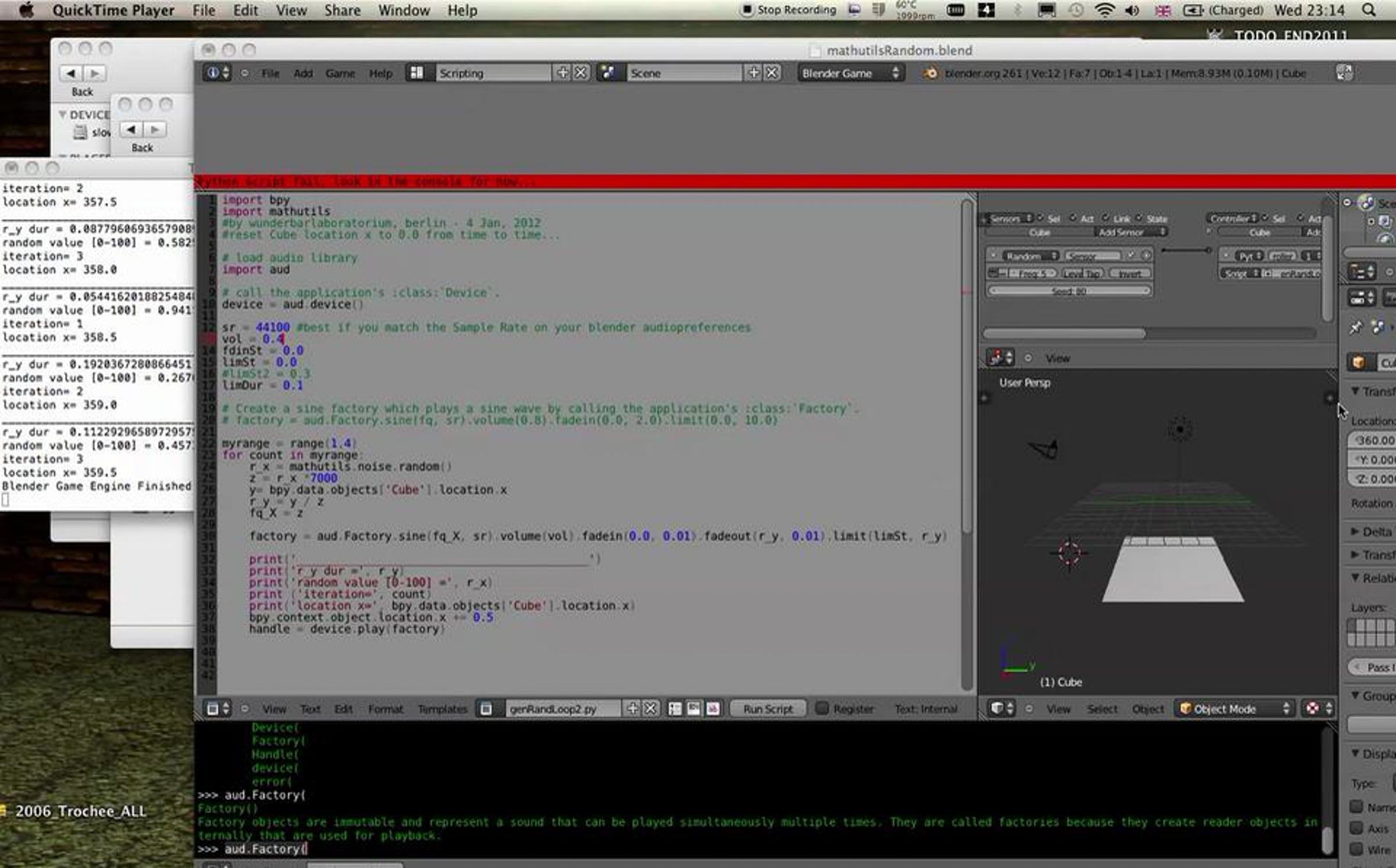
Blender 2.61 experiment 2: Audio System (aud) python script 4 synthesis

Same as the example before. This time, Cube position is passed on to the duration of the oscillator (and the random object) and a few other things. Just add a random sensor to the Cube with some freq and connect it to a python controller with the code below. You may need to indent the text
import bpy
import mathutils
#by wunderbarlaboratorium, berlin - 4 Jan, 2012
#reset Cube location x to 0.0 from time to time...
# load audio library
import aud
# call the application's :class:`Device`.
device = aud.device()
sr = 44100 #best if you match the Sample Rate on your blender audiopreferences
vol = 0.4
fdinSt = 0.0
limSt = 0.0
#limSt2 = 0.3
limDur = 0.1
# Create a sine factory which plays a sine wave by calling the application's :class:`Factory`.
# factory = aud.Factory.sine(fq, sr).volume(0.8).fadein(0.0, 2.0).limit(0.0, 10.0)
myrange = range(1,4)
for count in myrange:
r_x = mathutils.noise.random()
z = r_x *7000
y= bpy.data.objects['Cube'].location.x
r_y = y / z
fq_X = z
factory = aud.Factory.sine(fq_X, sr).volume(vol).fadein(0.0, 0.01).fadeout(r_y, 0.01).limit(limSt, r_y)
print('___________________________________________')
print('r_y dur =', r_y)
print('random value [0-100] =', r_x)
print ('iteration=', count)
print('location x=', bpy.data.objects['Cube'].location.x)
bpy.context.object.location.x += 0.5
handle = device.play(factory)
Get started for free
24/7 customer support
Our customer support team is available to help 24/7. Enterprise members also receive dedicated account managers and a guaranteed uptime SLA.
© 2026 Vimeo.com, Inc. All rights reserved.
TermsPrivacyYour Privacy ChoicesU.S State PrivacyCopyrightCookies