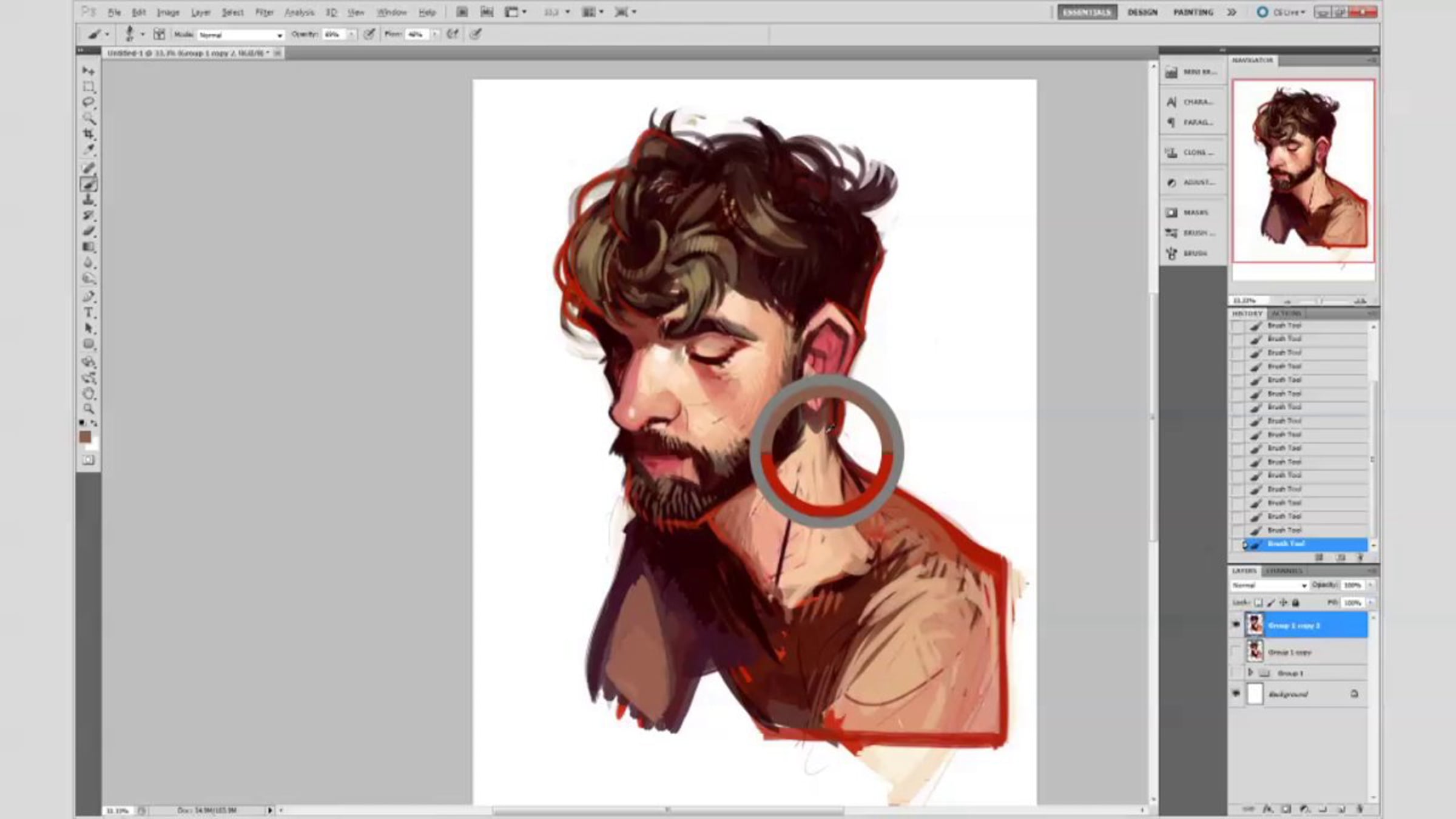
photoshop sketch process

Process video of my latest sketch: http://blog.loish.net/post/52617905071/saw-this-post-on-my-tumblr-feed-the-other-day . thought people might be interested in seeing how i work nowadays!
Link to where I found the reference image:
http://tmblr.co/ZK1xOymkvcMe
Brushes I used:
For the majority of the illustration, I use a brush by AlectorFencer on Deviantart, which you can download here - http://alectorfencer.deviantart.com/art/Texture-Brushes-189266825 (it is the fourth brush from the top). At a certain point I use a large, soft brush with 1% flow and 76% opacity; this is just a standard photoshop brush which I used to add some soft color accents.
Approach to layers:
When starting out, I have the sketch and rough colors on separate layers. At some point I group these, duplicate the group, and merge it so that I can paint on one layer. I keep the original non-merged group of layers as a backup; I do the same by occasionally duplicating the layer that I'm painting on and working on top of the new one so that I can always go back to the old one if things aren't working out.
Useful shortcuts I used:
Alt+click - for activating the eyedropper tool while painting.
Right click - for modifying brush and brush size while painting.
Useful tools I used:
Hue/saturation, color balance, and levels - to tweak the colors and brightness from time to time.
Selective color and Replace color - for modifying specific ranges of color (such as only the reds).
Liquify - to modify the shape of the drawing.
Feathered lasso tool - to tweak the colors of specific parts of the drawing.
Chromatic abberation (which you can find under the 'custom' tab in the Lens Correction filter) - to add red/blue edges to the drawing.
Unsharp mask - to sharpen the brush strokes at the very end of the process.
Gradients + layer modes - by applying colorful gradients on separate layers and playing around with the blending mode, you can add some interesting colors to the drawing (something I do at the way end with the blue circular gradients by putting them on 'soft light').
More info about my art and process:
www.loish.net/faq
Get started for free
24/7 customer support
Our customer support team is available to help 24/7. Enterprise members also receive dedicated account managers and a guaranteed uptime SLA.
© 2026 Vimeo.com, Inc. All rights reserved.
TermsPrivacyYour Privacy ChoicesU.S State PrivacyCopyrightCookies