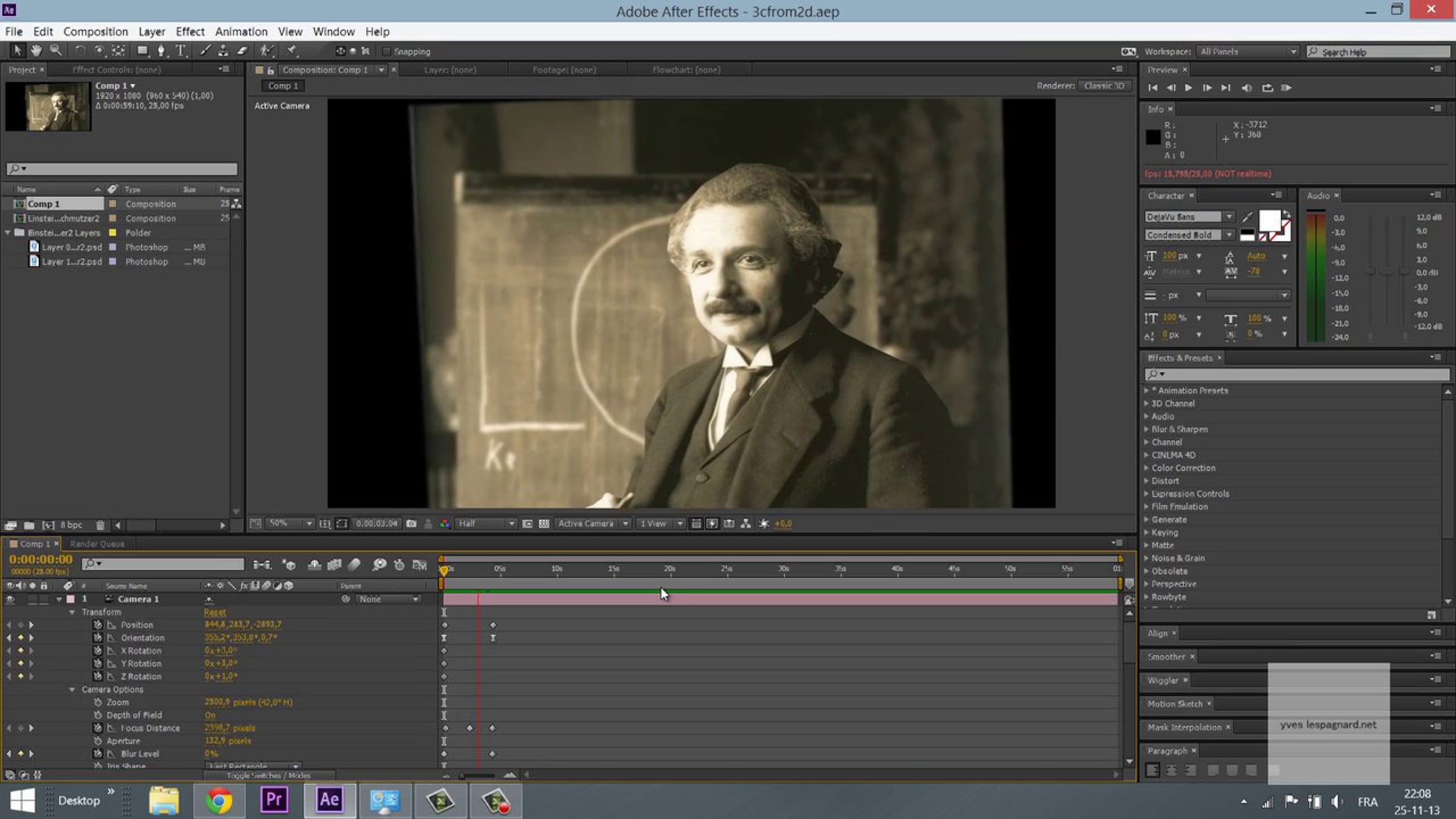
AE/Photoshop tut - 3D from 2D photography in a 6 minutes after effects and photoshop tutorial + free project and footage

Hi sad boys and girls :)
3D from 2D photography is a 6 minutes after effects and photoshop tutorial. (because we don't like blablas)
How to modify a picture in photoshop (2 minutes) followed by How to create a 3D animation from a photography (3.50")
- Create a camera (it's a layer)
- Activate the 3D icon on each photoshop layers
- Play with the focusing point and focal blur
- Move the camera all around.
download project and footage at www.yveslespagnard.net/yves2dto3d.zip
and have a look to the next step of 3d from 2d photography http://vimeo.com/90947037
and have fun!!
update : In this tutorial, I really don't know why I have choosen to put a 85% opacity on the Fill. There is no reason. Let the value set at 100% :)
Music: Land Ho! by Thee Moths (http://www.theemoths.co.uk/)
Get started for free
24/7 customer support
Our customer support team is available to help 24/7. Enterprise members also receive dedicated account managers and a guaranteed uptime SLA.
© 2026 Vimeo.com, Inc. All rights reserved.
TermsPrivacyYour Privacy ChoicesU.S State PrivacyCopyrightCookies