
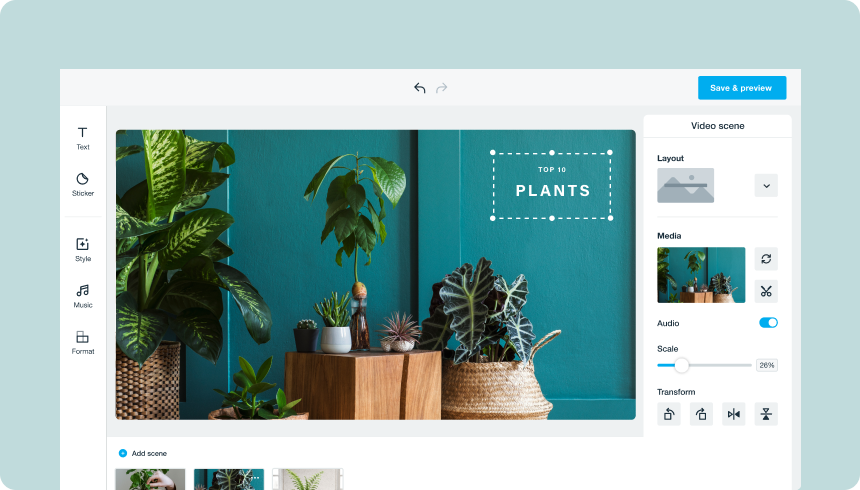
Maximize impact with the perfect Pinterest Pin videos
Pinterest is a powerful inspirational platform that identifies and defines the hottest consumer trends. Plus, a visually arresting Pin’s impact can outlast the average social asset. Start with the visual motif of your video Pin, then create beautiful assets in various ratios and video lengths for other social channels (which, by the way, you can publish directly from Vimeo Create!).
Still, there are a few general best practices to creating engaging Pinterest video ads and Pins:
Pay attention to aspect ratios
Most — a whopping 85% — of users on Pinterest access the platform via mobile device, but you’ll want your creative to look gorgeous on any device. Pinterest recommends making videos with aspect ratios of 1:1, 2:3, or 9:16, which is the most commonly used for vertical video.
Use Idea Pins
Idea Pins are engaging, multi-page Pins for creators and small businesses, allowing creators and small businesses to share inspirational and creative ideas with their community. Idea Pins don’t disappear after twenty four hours and will stay on your boards forever. Idea Pins are about telling a story, sharing your personality, and building your following, so they don’t include calls-to-actions to links. Like other video Pins, don’t forget to add a text overlay, since most Pinners watch with their sound off.
Keep it short and sweet
Pinterest recommends keeping your video ads anywhere between 6-15 seconds long, while organic videos should be a minimum of four seconds long. Shorter videos and Story Pins are a great way to weave a compelling narrative about your product, brand, or business.
Stand out without sound
Many watch Pinterest video ads without sound, so dialogue and voice-over can be lost on these users. Instead, rely on strong, audio-free storytelling through easy-to-understand captions and text, which will keep viewers watching for the next step or piece of information in your ad. Plus, your Pin can include up to 500 characters in its description and 100 characters in the title, so you have more room to express yourself and the essence of your Pin in words.
Know your audience
Pinterest is both an inspirational and aspirational platform where you can daydream and create your life’s mood board, so it’s crucial to keep up with the latest on the platform, whether that’s scrolling through your own feed and engaging with the latest videos, or perusing insights from the experts, like these predictions based on Pinterest’s most popular categories. 97% of top searches on Pinterest are unbranded, which means you can reach your audience early and help them discover your brand. Get to know how others are leading the way with their home, wellness, lifestyle, weddings and celebrations, and DIY videos on Pinterest.
