A webinar invitation gives potential attendees their first look at your event and a reason to sign up. For marketing, communications, and training teams, well-written invitations are an essential part of webinar promotion campaigns that convert interest into registrations.
This guide includes webinar invitation examples for different business needs, along with a customizable template and practical advice for writing invitations that encourage people to register.
What should a webinar invitation include?
A good webinar invitation gives people enough information to decide whether the event is worth their time. To encourage registration, make sure your email includes the following:
- A compelling subject line: Grab attention and spark curiosity by highlighting the webinar's topic or a benefit readers will gain by attending.
- A clear reason to attend: Explain what the webinar covers and how it can help attendees solve a problem or improve their work.
- Date and time: Include the event date, start time, and time zone so people know when to join.
- Speaker details: Introduce the presenter with their name, role, and relevant experience to establish credibility.
- Learning takeaways: Use a few short bullet points to show what attendees can expect to learn or accomplish from the event.
- A call to action (CTA) to register: Close with a prominent CTA that takes readers directly to the webinar registration page where they can sign up for the event.
- Relevant visuals: Use your brand's logo and colors with featured speaker photos to make the invitation recognizably yours without distracting from the message.
Webinar invitation email template
This webinar invitation template gives you a starting point for your email without having to write every message from scratch. You can adjust the details and language to suit your audience while keeping the invitation focused on why they should attend.
WEBINAR INVITATION EMAIL TEMPLATE
Subject: Learn how to [achieve a specific goal] in our upcoming webinar
Hi [First name],
Are you looking for a better way to [solve a problem or complete a task]?
Join us for [webinar title], where we'll explore how to [describe the main benefit of attending].
[Speaker name], [title] at [organization], will lead the session and share [relevant experience or expertise].
You'll learn how to:
- [First practical takeaway]
- [Second practical takeaway]
When: [Day, date, and time, including time zone]
Register here: [Registration link]
We hope to see you there!
[Your name or team]
To customize this webinar invitation email, begin with the problem you want to help your audience solve. A product marketing team introducing a new video workflow, for example, could highlight how customers can organize video assets and simplify their review process. Their webinar invite subject line should reflect that benefit, while the registration CTA should use clear, action-oriented language that tells readers what to do next.
Pro tip: Test your invitation email by sending it to yourself before the campaign goes out. Check that the registration link works and the event details are easy to find.
Host and record an evergreen webinar with Vimeo →
6 webinar invitation examples for different audiences and goals
The style and tone of webinar invitation content depends on your audience and what you want attendees to learn. These six email examples show how to tailor your message to different business needs.
1. Product demo webinar invitation
When inviting prospective customers, focus on a problem your product can help solve.
Subject: See how to simplify your video review process
Example: Tired of chasing feedback on video projects? Join our live demo to see how your team can collect comments, manage revisions, and keep projects moving.
CTA: Register for the demo
Why it works:
- It addresses a familiar problem.
- It shows what attendees can expect from the demonstration.
2. Thought leadership webinar invitation
Use timely industry questions and speaker expertise to attract professionals interested in new perspectives.
Subject: How are businesses rethinking their video strategies?
Example: Join [Speaker name], [title], for a discussion about how businesses are using video across their organizations. You'll hear future-forward approaches to video strategy and learn what teams are prioritizing for various target audiences.
CTA: Save your seat
Why it works:
- The topic speaks to business decision-makers.
- The speaker's role establishes credibility.
3. Customer education webinar invitation
Help existing customers get more value from a product they already use.
Subject: Get more from your video library
Example: Join our customer webinar to learn how to organize your video library, manage access, and make content easier for your team to find. We'll walk through the process and answer your questions.
CTA: Register for the session
Why it works:
- It focuses on everyday customer tasks.
- It promises practical instruction.
4. Internal communications webinar invitation
For company announcements, explain what employees need to know and who will be speaking.
Subject: Join our upcoming all-hands
Example: Our leadership team is hosting a live session to discuss company priorities and upcoming projects. Join [Leader name] to hear the latest updates and ask questions about what's ahead. Feel free to submit anonymous questions beforehand via this form.
CTA: Confirm your attendance
Why it works:
- It clearly identifies the purpose.
- It gives employees an opportunity to participate.
5. Employee training webinar invitation
Connect the training to employees' responsibilities.
Subject: Learn about our updated onboarding process
Example: We're introducing a new onboarding process and hosting a training session to walk through the changes. Join [Trainer name] to learn what's changing, how to complete your assigned steps, and where to find help.
CTA: Sign up for training
Why it works:
- It tells employees what they'll learn and how the changes affect their work, so they know what to expect.
6. Last-chance webinar invitation
Send this invite to prospects who haven't registered as the event approaches.
Subject: Last chance to register for tomorrow's webinar
Example: Our webinar on building a better business video strategy takes place tomorrow. There's still time to register and learn how to plan content around your team's goals.
CTA: Register before the webinar
Why it works:
- It uses the actual event date to create urgency.
- It reinforces the benefit without repeating the original invitation.
Webinar invitation best practices
Before sending, double-check that your webinar invitation gives readers a reason to open it and makes registration easy. Invitation clarity is among the webinar best practices that help teams host events that deliver a useful experience for attendees.
Here are some other simple best practices that make an impact:
- Lead with a clear benefit: Tell readers what they'll learn or be able to do after attending within the first few sentences.
- Write a specific subject line: Avoid vague wording by highlighting the topic or a useful outcome. "Learn how to simplify video approvals," for example, is more informative and targeted than "Join our upcoming webinar."
- Match the message to your audience: Use a personalized message that reflects your audience's needs.
- Include essential details: Make the date, time, time zone, speaker, and expected takeaways easy to find.
- Use one registration CTA: Give readers a direct link to sign up rather than several competing actions.
- Plan your invitation schedule: Consider sending the first invite two weeks before the event, followed by a reminder a few days beforehand and a final invitation the day before. Align these emails with your broader webinar marketing strategy.
- Make the email easy to scan: Keep paragraphs short, use bullet points where helpful, and make sure the registration link stands out.
Create and promote your webinar with Vimeo
A well-written webinar invitation can encourage registrations, but the experience doesn't end when someone signs up.
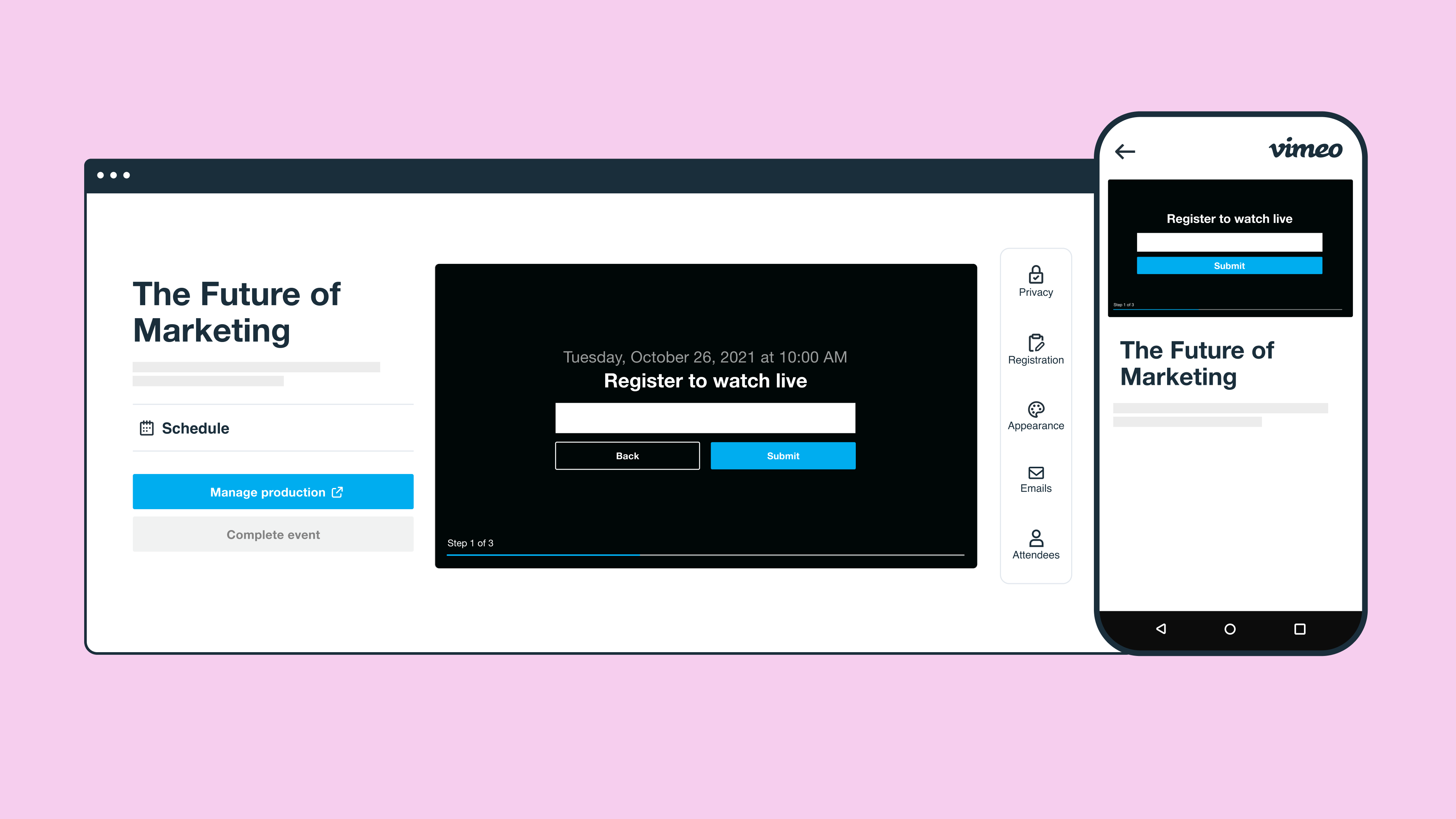
With Vimeo, you can create branded registration pages and customize invitations or reminder emails to match your event. You can also manage registrants and host your webinar live or use pre-recorded content. Afterward, Vimeo's Analytics show how attendees engaged with the session and identify follow-up opportunities.
Explore Vimeo's webinar features →