Green screens can transport a subject anywhere, limited only by the imagination. If you thought that kind of movie making magic was reserved for the big shots, think again. Green screen technology is more accessible than ever. The screens themselves are portable and relatively cheap, and the software required to make use of them is becoming increasingly affordable and easy to understand. If you’d like to learn how to harness the magic of the color green, or need to accomplish a quick “falling off a cliff” shot, we made this video for you!
Let’s review some important points when it comes to using a green screen and keying with your software. Setting up the screen:
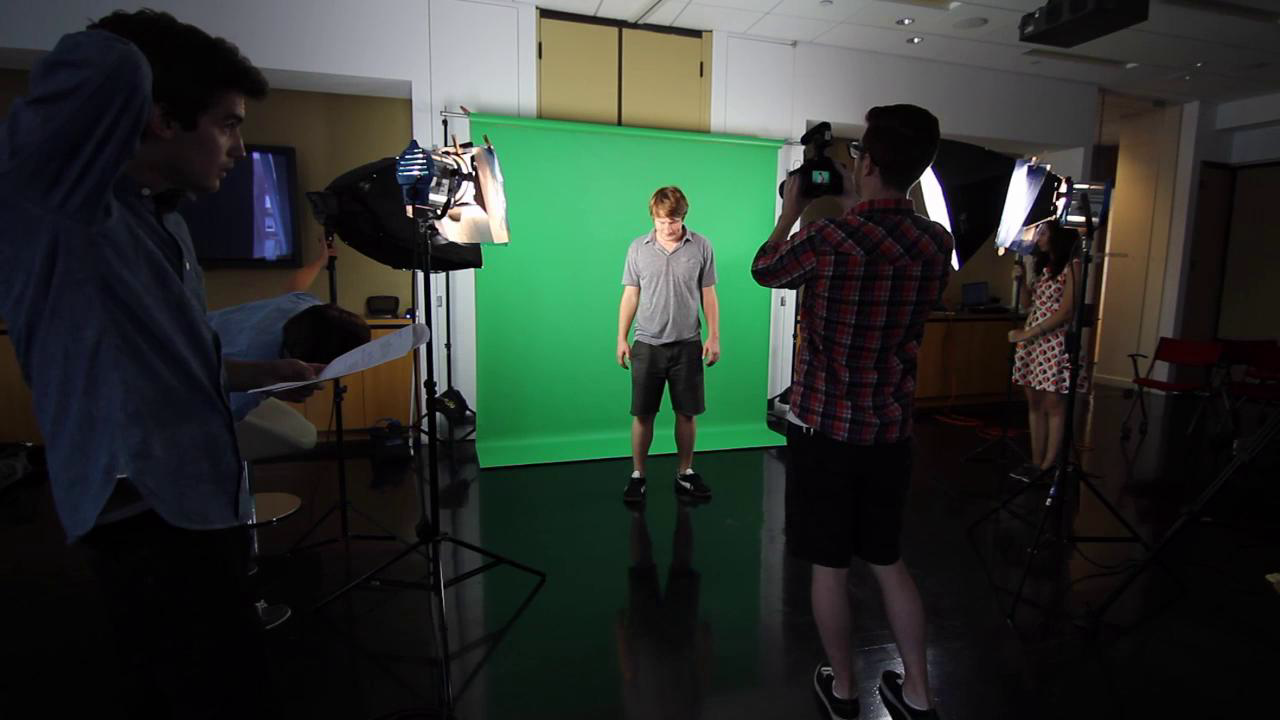
- Set up your screen in an area that will give you enough space to perform actions in front of it.
- If you”re using a screen like ours, make sure you bring clamps to keep the screen from coming off of its roll.
- Avoid wrinkles in the screen when clamping or hanging it. We had to roll our screen up just a bit to to help alleviate wrinkling caused by hanging off the end of the roll.
- We lit our screen with soft-box lights which helped cut down on harsh shadows and spread the light evenly. Head on over to this Video School lesson to learn more about lighting.
- Be sure to backlight your subject. This creates a separation between the subject and the background, making the removal of the green screen that much easier for your software.
Pro tip: Position your subject about eight feet away from the screen to prevent shadows.
- Keying in After Effects:We’re using a plugin for After Effects called Keylight. It”s very popular in the post-production world. Keylight”s two main functions are to remove the color you select, and suppress spill of that color onto your subject.
- You”ll want to make sure you view the footage in Screen Matte mode. This helps you see how good your key is. By playing with the Clip Black and Clip White settings (where black is transparent and white is opaque), you can ensure your key will render the best possible results and fix mistakes you may not be able to see with your naked eye.
Pro tip: Consistent lighting is one of the most important factors to help authenticate your keying effect. If the subject’s lighting doesn’t match your digitally added background, the shot can fall flat. Make sure you spend time adjusting the levels on your keyed footage to match the background for the best possible result! Now you can finally send that DeLorean back in time or keep that T-rex inside Jurassic Park! Well maybe. But now you do know the basics of green screening and that's going to bring a whole new level of experimentation to your videos. Happy keying!
Take advantage of Vimeo's innovative solutions like the AI-powered script generator, video prompter tool, automated captioning tool, and AI translation service for seamless video production.