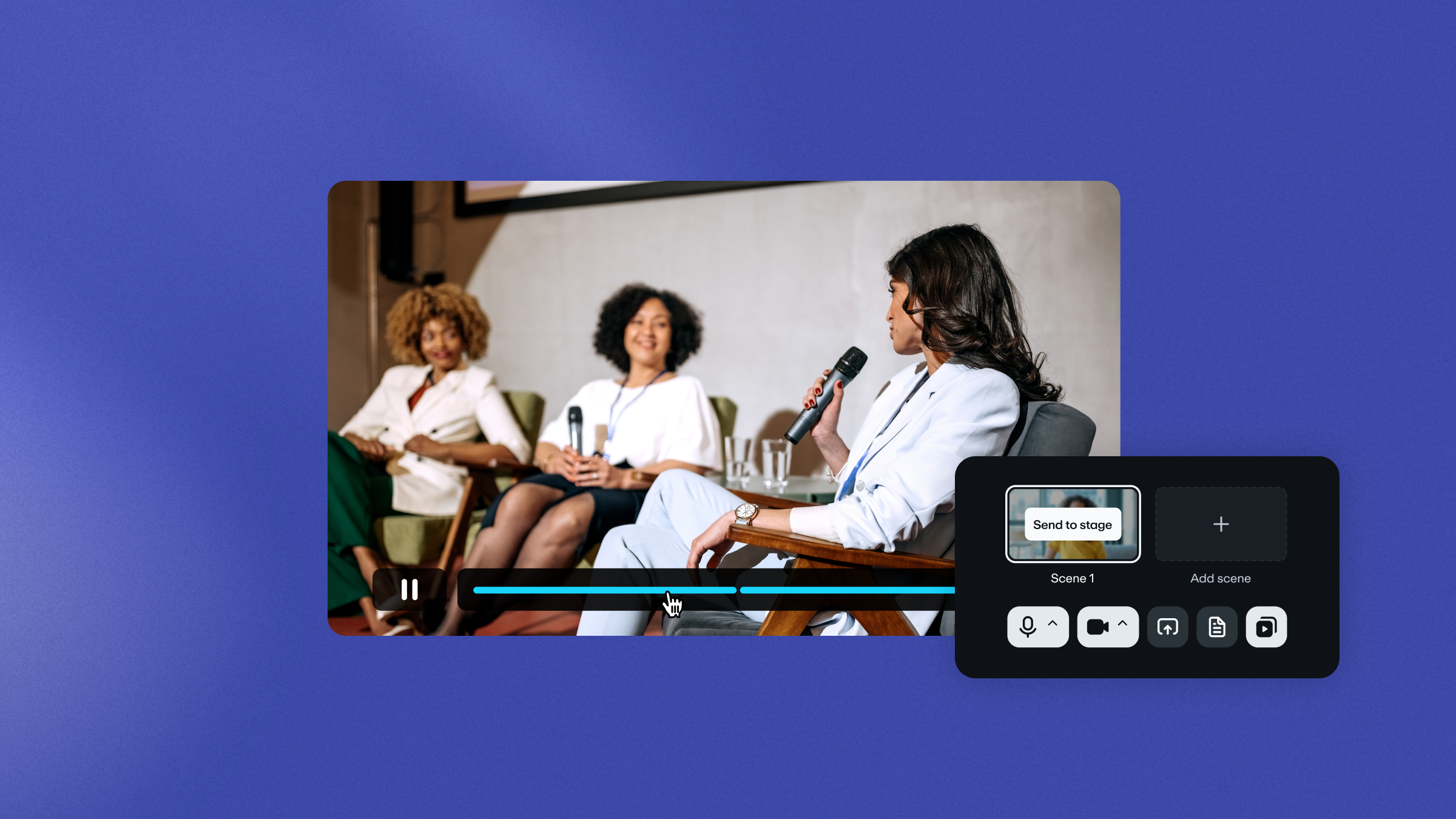
A live streamed pre-recorded video (often called a “simulive” or simulated live stream) lets you keep the fixed timing of a live event without the stress of real-time setup. You can record and polish the main presentation in advance, then focus your attention where it matters most in the moment: the real-time audience response.
That mix of control and presence is why simulated live streaming works so well for brands and creators who need a polished broadcast without the pressure of live production. In this guide, we’ll help you prepare how the event looks, sounds, and ultimately lands with viewers live.
Why you should stream pre-recorded video as a live event
A pre-recorded live stream adds structure to an event and gives you more control over what viewers experience. You can schedule a finished video to play at a specific time and present it as if it’s happening live. Some platforms label this flow as “pre-recorded live” or similar language, but the model stays the same.
Shared timing — when the audience shows up together at a specific point — creates urgency and gives viewers a reason to join now rather than watch the replay on their own later. It also fits naturally into a broader virtual event management strategy.
If you only need to stream videos online, on-demand publishing is enough. If you want to test the format first, though, several platforms like Vimeo let you live stream pre-recorded video for free on entry-level or trial plans before committing to a full setup.
Lower risk of technical difficulties
Traditional live broadcasts can break down from a single weak link. A frozen camera feed, drifting audio, or a connection issue can force the presenter to troubleshoot on air and leave the audience waiting.
When the main presentation is uploaded and scheduled in advance, those risks drop. You’ll still have work to do during the live stream, but the pressure changes. Instead of managing every second of the broadcast, you can monitor the event, post links in chat at the perfect moment, and step in when viewers need support for a better live experience.
Flawless production quality
A pre-recorded live stream gives you time to fix the parts that make live video feel rough. You can tighten the pacing, clean up the audio, and add captions before a single viewer joins. They still watch together at a scheduled time, but without the pauses and technical distractions that can weaken your message.
Edit your videos quickly with Vimeo →
Global reach and scalability
Simulated live streaming works well for audiences that span multiple regions. You can schedule the same event for different time zones or reuse the basic materials for webinars, onboarding, and recurring announcements later without rebuilding the production.
On platforms that offer repeat scheduling or looping, the same approach can support 24/7 live stream programming from pre-recorded content. Once the source file is ready, distribution becomes easier to manage.
Real-time community focus
Because the presentation itself doesn’t take up your full attention, pre-recorded live streams help you stay connected to viewers. You can answer questions in real time, guide attendees to resources, and keep energy high while the video plays.
Without interactions, a pre-live event can feel like just another video. With active moderation, it becomes a shared experience.
5 best platforms for streaming pre-recorded content
The right platform for live streaming pre-recorded content depends on how much control you need over branding, scheduled distribution, and the viewer experience. Some tools are built for casual social multistreaming, while others are professionally designed for full video streaming platforms or virtual event platforms with more managed delivery. Here are five for every use case.
1. Vimeo: Extensive video platform
Vimeo fits teams that want a polished simulcast-live workflow inside a broader video platform. You can turn an uploaded video into a live event, add polls or Q&A, and manage the event from a browser-based tool instead of piecing together separate tools.
Pros
- Built for branded event streams
- Live tools, editing, and distribution in one place
- Streams in up to 4k with bitrate modulation so everyone gets high-quality video
- Easy to schedule in advance
Cons
- Simulated live streaming access varies by plan
- Subtitles and captions not available for every pre-recorded live stream
Pre-record a live stream →
2. Dacast: Streams on demand
Dacast offers a VOD-to-live feature for scheduling pre-recorded streams. You can choose an existing video, schedule it to play at a specific time and date, and present it as a live stream, typically by sending the content through a compatible encoder. It’s best for larger media companies sharing announcements and other broadcasts that don’t need a lot of audience engagement.
Pros
- Supports scheduled playback of existing videos
- Easy scheduling across time zones
Cons
- More focused on broadcasts than interactive events
- Playback behavior can vary by delivery method
- Some stream features may differ with M3U8 links
3. Resi: Automation-first simulive platform
Resi supports scheduled playback of pre-produced videos across multiple destinations. Its Upload and Automate workflows let you schedule streams in advance, while Studio provides monitoring and analytics for those events. However, running a simulive requires a lot of behind-the-scenes planning, so it’s not ideal for creators and brands who need a fast and simple live streaming option.
Pros
- Keeps monitoring and scheduling in one dashboard
- Works well for repeat broadcasts
Cons
- Higher latency on some destinations
- More operations-heavy than other tools
- Less flexible for quick social-style streaming
4. StreamYard: Browser-based multistreaming
StreamYard is a browser-based live streaming and recording studio that supports scheduled pre-recorded broadcasts to popular social media platforms like Instagram, Facebook, and LinkedIn. It also includes branding tools, guest support, and webinar-style features. But pre-recording your stream limits how deeply you can engage with your audience on StreamYard.
Pros
- Easy pre-recorded scheduling
- Strong multistreaming support
Cons
- Pre-recorded streams have different interaction options than fully live broadcasts
- More focused on social platform engagement than brand delivery
- Less control over the experience than more production-heavy platforms
5. Restream: Social pre-recorded streaming
Restream supports pre-recorded live streaming through its Upload and Stream feature. You can schedule a video, stream it to multiple destinations, and manage live chat while it plays, but most of Restream’s features are locked behind paywalls, and not every plan includes all the tools you’ll need to run a great pre-recorded live stream.
Pros
- Strong multistreaming support
- Playlists and looping are available
Cons
- Looping depends on the plan
- Social platform focus takes away from delivery options
- Longer playback features are tier-dependent
See how webinars fit into your event strategy →
Best practices for a seamless simulated live experience
Viewers attending a simulive event still expect it to feel in-the-moment. The video has to look polished, and the live layer around it has to feel active. If either side falls short, the event feels like a replay and loses some of its spark. Here are some ways to keep your audience engaged from behind the scenes.
Optimize for high-bitrate delivery
Export your video to a high-quality file that the platform accepts (usually MP4 format). If your source video file is blurry, pixelated, or has audio lag, no live streaming trick will fix it while you’re rolling. Test the upload first to make sure it looks sharp.
Maintain the "live" energy
A simulated-live event loses momentum fast if the opening feels slow or if no one is active in chat once the stream starts. Start on time, get a moderator into chat early, and treat the first minute like a real broadcast opening.
Synchronize interactive elements
Polls, prompts, and Q&A work best when they follow the video’s pacing. Plan those moments against the run so the audience gets the right prompt while the relevant part of the presentation is still on screen.
Test the automated handoff
Run the full workflow before launch, including the scheduled start, player view, chat, and any follow-up after the video ends. Some automated setups limit what you can change during playback, so everything viewers need to see should already be built into the video or queued before the event starts.
How to live stream pre-recorded videos with Vimeo
Vimeo runs the full pre-recorded event workflow from a single web-based tool, so you don’t have to manage an encoder, scheduler, and audience layer all at once.
1. Create the event
Start in your Library and either open a video’s settings page and choose “Stream live” from the Publish dropdown, or create and open a live event first. Vimeo loads the video into the web-based Live Producer.
2. Add your pre-recorded sources
In Live Producer, open the dropdown next to “Go live” and choose “Pre-recorded event,” then add the sorted video or videos. Vimeo places them in the pre-recorded segment and plays them in sequence.
3. Schedule automatic playback
Open “Settings,” then “Schedule,” and set the start date and time. The start time must be at least one minute in the future for automatic playback to work. Video scenes auto-transition and play in full, so make sure you trim the file before the event begins.
4. Use Live Producer during the event
While the video plays, you can manage chat, Q&A, and polls from the same dashboard. Polls still need manual activation for timing, and if you add live scenes after the pre-recorded portion, the event switches back to manual mode when the first live scene starts.
Elevating your brand strategy with Vimeo live streams
The strongest simulated-live events don’t treat pre-recorded video as a backup plan — they use it to control the parts that should feel polished. They keep the live layer focused on what viewers notice in the moment, such as timing, response, and interactions, for a stronger event experience.
With Vimeo, you can host the main presentation, schedule playback, and manage audience engagement from one place instead of patching together separate tools on event day. Used that way, live-streamed pre-recorded video becomes a practical way to deliver a consistent brand experience across all your events.