The Organizer: Efficiently edit your video settings

Boris Park
Sometimes, you have to take a moment to clean house. On Vimeo, that can mean changing the settings for a bunch of videos, or removing old videos to free

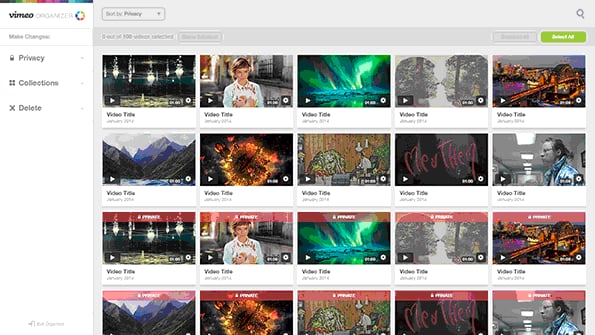
Sometimes, you have to take a moment to clean house. On Vimeo, that can mean changing the settings for a bunch of videos, or removing old videos to free up storage space. Whether you have a handful of videos uploaded, or hundreds (or even thousands, you busy little bee), making these changes can take time. To make your life easier, we’ve built a handy tool to help you manage your video settings in bulk. Meet the Organizer. The Organizer enables you to change the privacy settings for multiple videos at once, and manage their presence in collections, a.k.a. Albums, Channels, and Groups. And thanks to the Organizer, you can now’¦ drumroll’¦ more drumroll… delete multiple videos in one swift action. Bye videos!

To start organizing, log in to Vimeo and go to vimeo.com/organizer. Once there, select the videos you want to do stuff to, then change their privacy settings, add them to or remove them from collections, or delete them. And yes, Vimeo Plus and PRO members can access their additional privacy options.
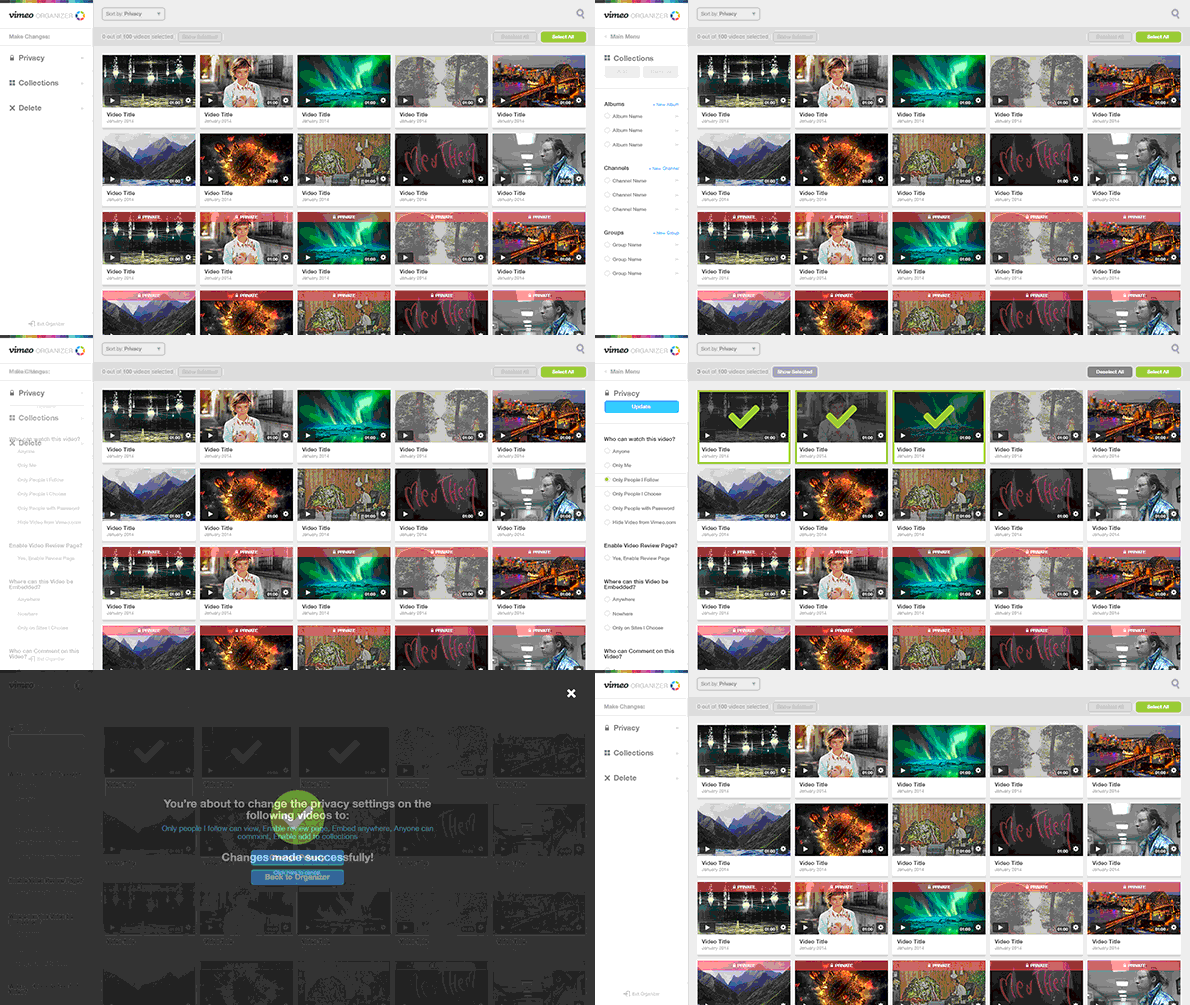
The Vimeo Organizer in action

We’ll be adding more ‘fun’ctionality to the Organizer in the coming months, so prepare for future organizational bliss. In the meantime, try batch-editing (or deleting, if that’s your thing) some videos and send feedback our way!

If you’re interested in organizing your videos, you may also want to learn more about Vimeo's editing tools like the video trimmer, video merger, video compressor, video cropping tool, GIF maker, and more!


More from the Vimeo blog

Colorful illustration of a crowded video editor's desk

How to make a short film: Planning tips from idea to screen

Keeping teams aligned and informed can be a challenge for global organizations. Learn why video as a communications tool makes sense for internal comms.

How to engage and inform employees with internal communications videos

Adding a video to LinkedIn using the Vimeo video editor interface

How to post a video on LinkedIn: A step-by-step guide for success

Blog post head image alt text

Sundance 2025 recap

Uploading videos from a mobile device

Video school: How successful marketers use Vimeo

From streaming movies to live streaming events, learn which video resolution delivers the best viewer experience for your objective & budget.

SD vs. HD video resolutions: What’s the difference?

Vimeo Record can help you can boost your team’s creativity and productivity with collaborative screen recording, webcam recording, and video messaging.

Collaborate better remotely with Vimeo Record

If you're looking for alternative options to YouTube for kids' content, read these 5 tips for finding success with launching a subscription kids' channel.

YouTube’s rules for kids’ content (and other monetization options)