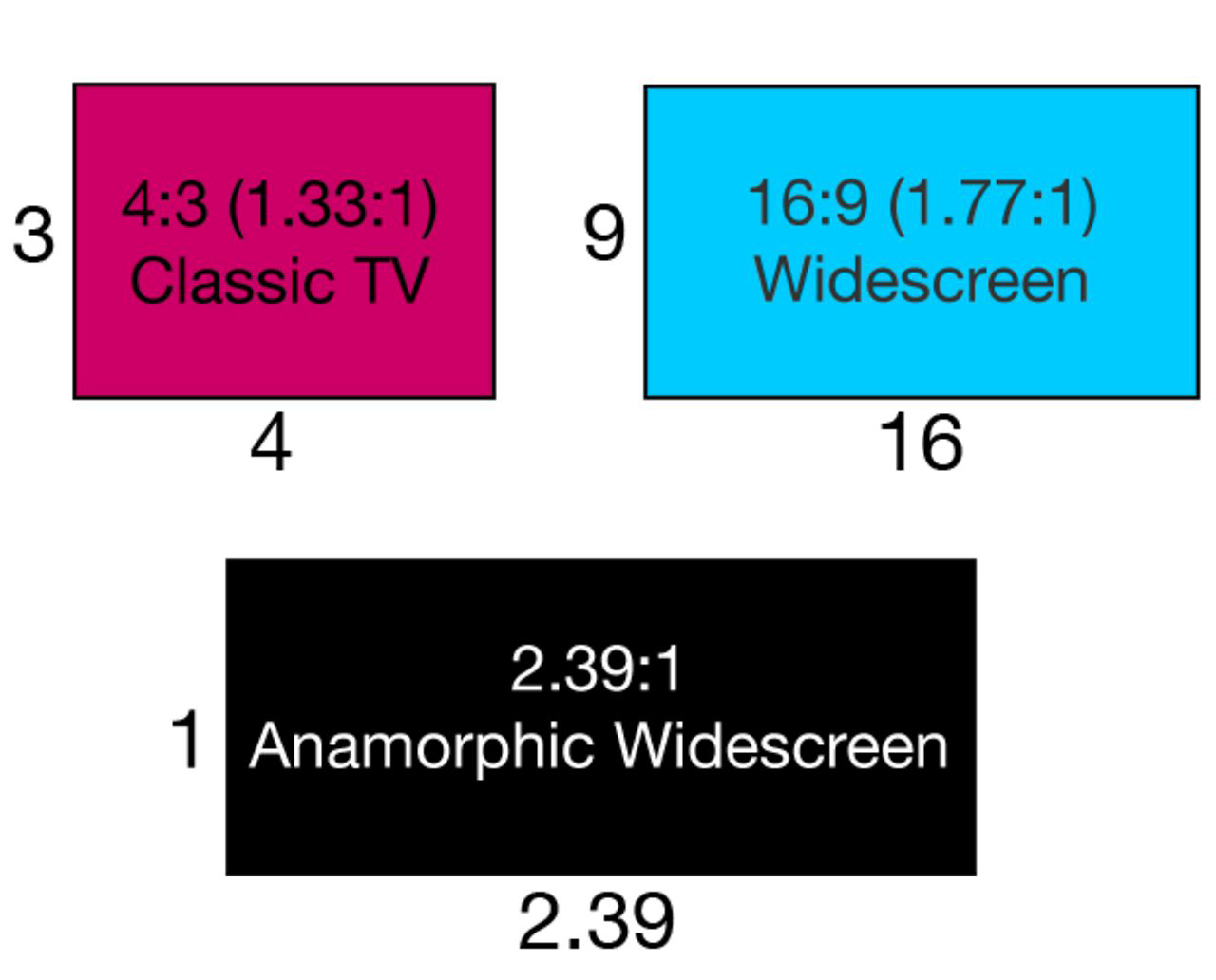
You might remember when DVDs first hit the mainstream market in the late 90s, movie studios often released two versions of their films on DVD: Fullscreen and Widescreen. True film buffs always purchased the widescreen version, but what makes the wider format better, and what format should I use in my own movies? Fullscreen and widescreen are two general terms for the aspect ratio of a movie, video, or picture. Usually this is measured as a ratio between the width and the height of the frame. For example, fullscreen, also know as classic tv format, usually refers to a width of 4 units or pixels by a height of 3 units, or 4:3. Widescreen video can refer to a number of different aspect ratios, but the most common one has a width of 16 units by a height of 9 units, or 16:9. The first standard TV aspect ratio was 4:3, which was thought to closely mimic the viewing angle of the human eye. However, film directors and cinematographers have gradually preferred to use a wider format that provides more visual real estate to help to tell a story. Some directors may even use wider 2.39:1 filmstock, to provide more space for actors, scenery, action, or anything else that can help to set the scene. When it comes to cinema, aspect ratios are written as the width versus one unit of height. This is why you’ll see ratios like 2.39:1 and 1.85:1 thrown around when talking about movies. Check out this handy diagram I made to help illustrate some of the more common aspect ratios: 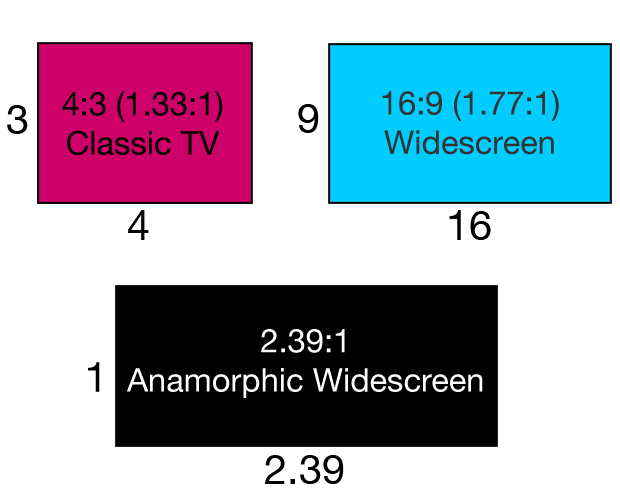 Nifty right? Now, back to business. Unfortunately when theatrical movies began showing on TV sets in the 80s, editors had to use a process called “Pan and scan” to make the movie fit a 4:3 screen. This caused a smaller portion of the original movie to be shown on screen, seriously limiting the viewer from seeing the director’s original vision. This continued on with fullscreen DVDs up until not very long ago. Luckily most modern-day TV sets and monitors use a 16:9 aspect ratio, allowing movies to be shown without cropping. The black lines you’ll see along the top and bottom of the screen is referred to as letter boxing, while vertical bars along the sides , say from watching something shot in 4:3 on a 16:9 screen, is called pillarboxing. So what aspect should you use? Whatever you like! Most DSLRs today shoot natively in 16:9, but sometimes you might want to replicate the 4:3 VHS feel of the 90s, or even mimic the cinematic feel of a 2.39:1 film. If you want your final cut to be in a different aspect ratio than what your camera records, be sure to keep that in mind while shooting. For some help clarifying that process check out the following video by Mike Gentilini, Jr. detailing more about aspect ratios:
We also highly recommend this in-depth breakdown by the folks at FilmmakerIQ:
One last note: what we’ve been discussing here which is called display aspect ratio, not to be confused with Pixel Aspect Ratio or PAR. PAR refers to the shape of the pixels themselves, which are sometimes squares or rectangles. When uploading to Vimeo we recommend compressing your video with a PAR of 1:1 or square pixels. Alright, now that we’re all ratio’d out, remember that while 4:3 and 16:9 are standards in video, don’t be afraid to experiment! Maybe go vertical to mix things up a bit.
You may also want to learn more about how you can use Vimeo before your video gets to the Vimeo video player, you can also leverage Vimeo's editing tools like the video trimmer, video merger, video compressor, video cropping tool, GIF maker, and more.