Shooting video often sounds like the hardest part of content creation. Editing it into something publishable is where people tend to get stuck.
A single raw clip can take hours to cut and color-correct, and that effort compounds quickly. At the same time, getting comfortable with an editing tool takes practice, and content creators who’ve already established a posting cadence may not want to disrupt their timeline when video content demand is high.
Instead of tackling everything alone, many creators and businesses turn to a professional video editing service. This article walks through the three main paths to an edited video: DIY software, freelance editors, and video editing services. You'll see how the top services and software stack up in terms of cost and creative control, so you can find the best video editing services and tools for your workflow.
Video editing services: DIY, freelance, or agency?
Not every kind of video editing is right for every project, so it’s important to understand their differences before getting quotes from agencies or spending hours learning new programs.
DIY video editing software
DIY editing is exactly what it sounds like: You use a video editing program to do the work yourself. There’s no per-project fee beyond the software cost, and this route keeps you in control of every step of your video production process.
Free tools often cover basic cuts and captions. Paid software offers more advanced effects, usually for a flat monthly fee in the $10–30 range, though a few professional-grade editors follow a flat fee model rather than a subscription (which generally costs a few hundred dollars).
DIY-ing your video edits works best if you have the time to learn a new tool and want full creative control over every cut. But even a simple edit takes practice to get right, and that learning curve takes time out of your filming and marketing efforts.
Freelance video editors
Hiring a freelance video editor, often through a platform like Upwork or Fiverr, means a single person works on your project without the structure of a video editing agency. Rates vary widely depending on the freelancer’s experience, running roughly $15 to $75/hour for entry to mid-level editors, with senior specialists commonly charging $100/hour or more.
Freelancers give you a flexible scope, suiting one-off projects or highly specific styles an agency roster might not cover. There’s also more room for tight collaboration with a specific editor over time, creating a strong creative partnership.
Explore Vimeo's video collaboration tools →
However, there's no built-in backup if your editor isn't available. Before committing to a freelancer, make sure to check their response time to messages (to limit your chances of getting ghosted mid-project) and review their portfolio for work in your specific video type to ensure they have the right skills for the job.
Professional video editing services and agencies
A video editing company or agency assigns your work to an established team with defined workflows, often for a flat rate. Many agencies market unlimited video editing subscriptions with fast speeds, though requests and revisions are typically still processed one at a time. Monthly subscription pricing for these services generally starts around $300 and can exceed $2,000, depending on volume and turnaround speed.
This option suits creators and businesses that need predictable output every month without managing an individual freelancer directly. Turnaround times are usually stated up front, so it’s easier to plan a consistent schedule than with freelance or DIY work. Businesses editing corporate videos especially benefit from the predictable turnaround an established workflow provides.
The trade-off is flexibility: Most agencies process one project at a time per subscription, so a sudden spike in volume may mean paying for multiple subscriptions rather than simply asking for more of their time.
Best professional video editing services and agencies
Each kind of professional video editing service, from freelance marketplaces to full-service agencies, differ in pricing and how much creative control you keep.
Here’s a summary of a few strong video editing services.
| Service | Best for | Turnaround | Key feature | Ideal team size |
| Video Husky | Creators and small businesses who need steady social content | 1–3 days | Subscription-based editing requests | Solo creator to a small team |
| Opus Clip | Creators repurposing long-form video into short clips | Near-instant, automated | AI clipping from long-form content | Solo creator or high-volume teams |
| Fiverr/Upwork | One-off or budget-flexible projects | Varies by freelancer | Direct access to individual freelance editors | Solo creator to a small team |
Video Husky
Video Husky offers video editing services for YouTube and other social platforms, focused on creators and small businesses posting on a regular schedule. Editors work on one video at a time, so if you need multiple projects moving in parallel, you'll need to run more than one subscription. Turnaround typically takes one to three days, and pricing scales with the length and complexity of your final video.
Opus Clip
Opus Clip uses AI to cut long-form video into short, social media-ready clips. It's one of a growing number of AI video editors built to speed up repurposing work. This editing service suits creators who need to repurpose existing footage quickly rather than commission new post-production work, though the automated output generally needs a manual review pass before publishing.
Fiverr and Upwork
Fiverr and Upwork are marketplaces where you hire an individual freelance editor directly, at an hourly rate or flat payment per project. (These marketplaces also aren’t limited to video editors, if you also need support generating thumbnail designs or writing scripts, for example.) Picking your editor yourself gives you more control over your video’s creative direction, but turnaround time and quality (and price) can vary significantly between freelancers.
Best video editing software for professional results
If you'd rather edit in-house than outsource, the best video editing software can close a lot of the gap. Here's a quick look at the top options.
| Platform | Best for | Operating system | Learning curve | Distinguishing feature |
| Vimeo | Teams and creators that want to keep recording, editing, hosting, and sharing together | Any (browser-based) | Low | All-in-one video workflow |
| Adobe Premiere | Professional editors needing deep collaboration and Creative Cloud integration | Windows, Mac | High | Industry-standard toolset |
| DaVinci Resolve | Studio work and color-heavy projects | Windows, Mac, Linux | High | Color grading |
| Final Cut Pro | Mac-based professionals | Mac only | Moderate | One-time purchase |
| CapCut | Short-form, vertical social content | Any (browser-based), plus iOS and Android devices | Low | Fast turnaround editing |
| Descript | Podcasters and transcript-based editing | Any (browser-based) | Low | Text-based editing |
Vimeo
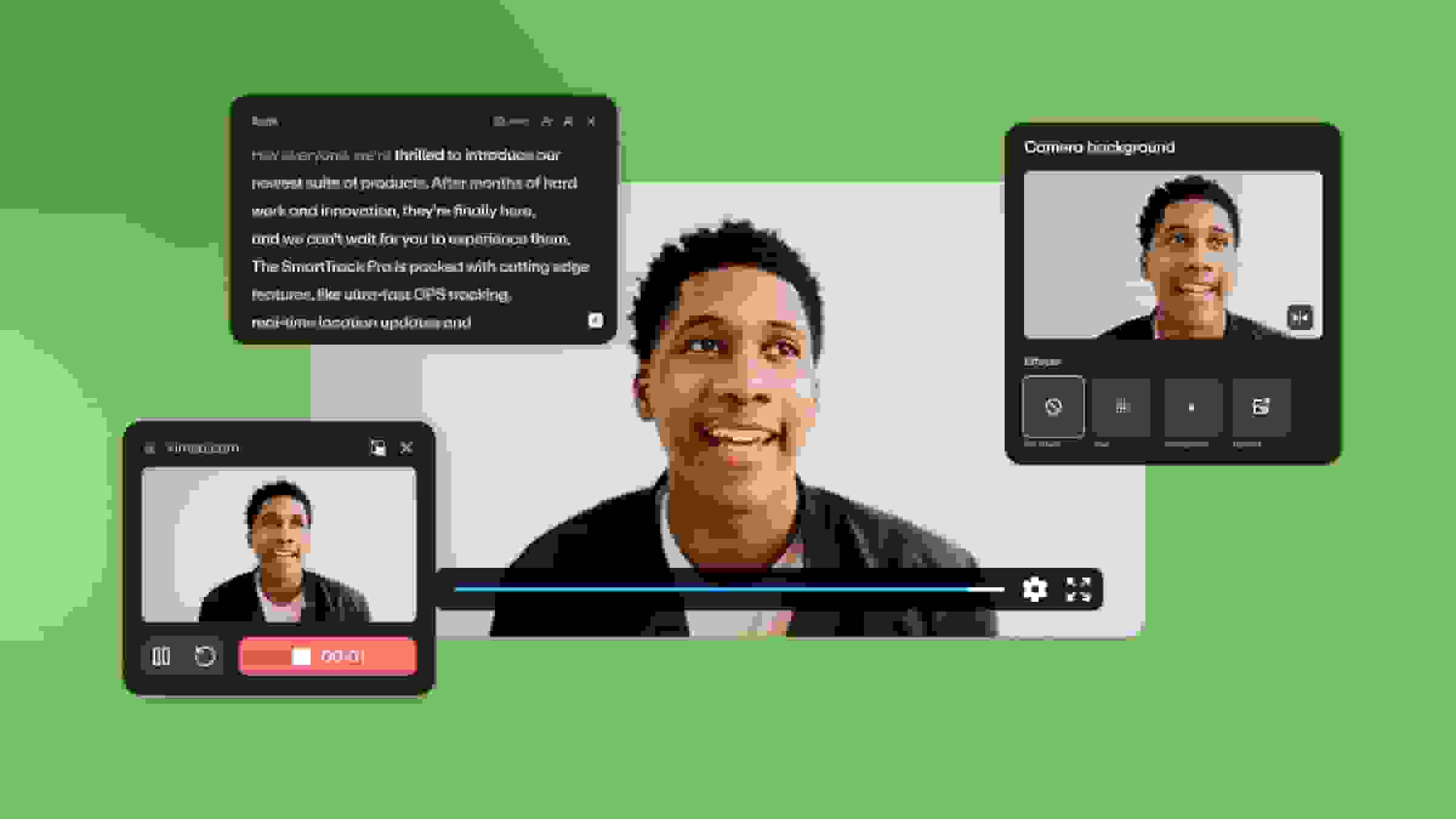
Most video editing software only edits, so footage still has to be recorded, exported, and moved somewhere else before it's publishable. Vimeo puts the entire video creation and publication workflow in one place. Vimeo supports everything from marketing teams and educators capturing a screen recording and sending a private link to the video editor without switching tools, to a solo content creator capturing clips from their most recent video to repurpose on social media.
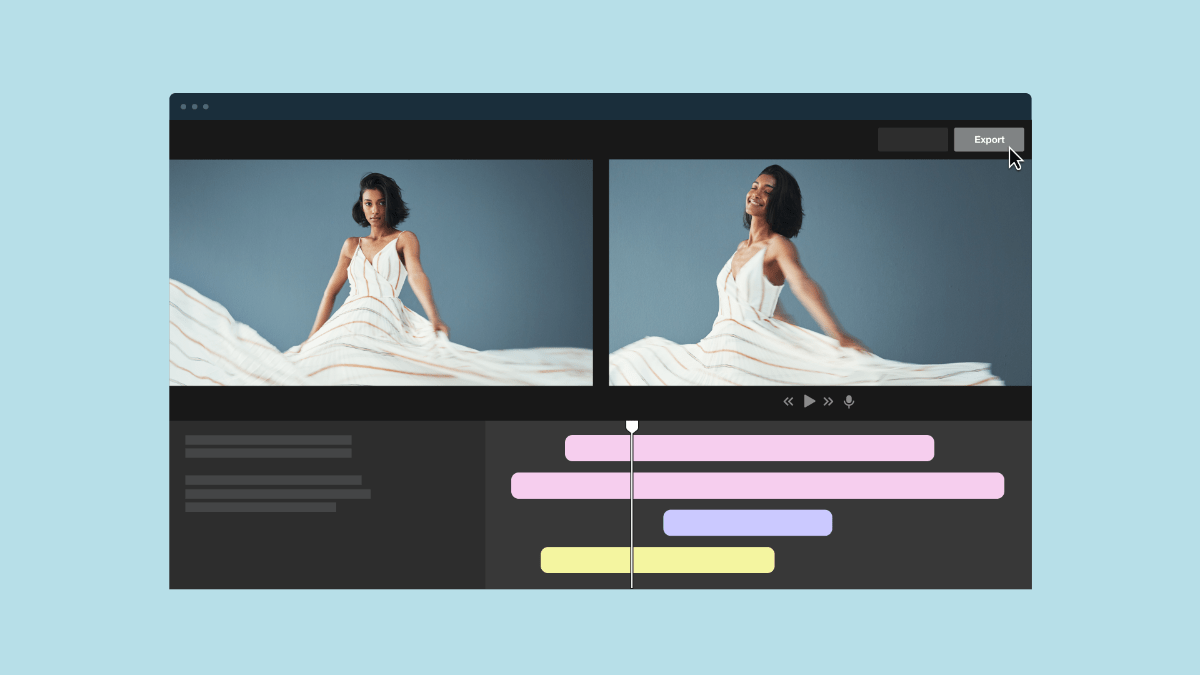
Its editing toolset is lighter than a dedicated editor like Adobe Premiere or DaVinci Resolve, which is why it fits teams needing speed and consistency more than frame-by-frame color work. It runs in-browser on any kind of desktop, and is easy to get started with.
Adobe Premiere
Adobe Premiere is a professional-grade video editor built for collaboration. It includes Creative Cloud integration, but has a steeper learning curve than many other programs and requires paid subscriptions to use. Adobe also offers another program, called Adobe Express, to cover two different needs from similar interfaces. Express is free but much more limited in scope than Premiere, mostly handling quick template-based edits like CapCut does.
DaVinci Resolve
DaVinci Resolve is best known for its color grading tools, and its free tier includes most of what an editor needs. The learning curve is steeper than most consumer software, making it better suited to studio work or to anyone editing footage shot from multiple cameras where there are more potential consistency problems.
Final Cut Pro
Final Cut Pro is a software you only have to pay for once, but it’s exclusively available to Mac users. It takes some time to get used to its interface if you're coming from a more traditional timeline-based editor, but it tends to be a strong option for professionals already working inside the Apple ecosystem.
CapCut
CapCut is built for short-form vertical video and is free to use for most basic edits. The learning curve is low, making it a common choice for social media content creators who need to turn footage around quickly.
Descript
Descript is an AI video editor that edits the transcript, not the timeline. That alternative workflow offers a different perspective from most video editing software on this list (except for Vimeo, which also includes timeline-based editing). This method suits podcasters and creators who want to cut dead air and filler words without scrubbing through footage manually.
FAQ
When should I consider hiring a video editing agency?
Creators should consider hiring a video editing agency once the time spent editing starts cutting into the time available for filming or other parts of the business. Agencies also make sense as an option for creators who need a consistent publishing schedule but don't have the editing skills or software to maintain it themselves.
What services are usually included in video editing?
Video editing typically includes cutting and smoothing transitions, color correction, and audio adjustment. Many services also offer motion graphics, animations, and thumbnail creation as add-ons.
How can I choose the right video editing service for my needs?
Choosing the right video editing service comes down to matching turnaround time, pricing structure, and creative control to your workflow. A flat-rate editing subscription or agency suits predictable monthly output, while a freelancer is often a better fit for one-off or specialized editing.
Streamline your video editing workflow with Vimeo
Whether you're leaning toward DIY software, a freelance editor, or a subscription-based service, the right choice comes down to your budget and how much creative control you want to keep in-house. It's also worth thinking about how editing fits into your broader video content strategy, because editing is what often makes the difference between a good video and a great one.
If you're moving away from an outside agency or tired of shuttling footage between separate recording and editing tools, Vimeo offers a way to bring more of that workflow in-house without adding headcount.
Vimeo pairs AI-powered editing tools, including filler word removal and text-based editing, with built-in screen and webcam recording, so you can capture and edit in the same place. High-resolution hosting and instant private link sharing make it easier to get a draft in front of a client or teammate for feedback. And a centralized video library keeps finished content organized as your output grows, so you can keep your cadence smooth and audience engaged.